

Plutoos HEPA Filter for Dyson V7 V8 Absolute V8 Animal – washable & reusable
HEPA Filter for Dyson V7 / V8 Absolute / V8 Animal — breathe easy while you vacuumFits Dyson V8 · V8 Absolute · V8 Animal · V7 · V7 Absolute · V7 Motorhead — washable, HEPA class✓ Drop-in fit like the original🌬️ HEPA class — ≥99.5% at 0.3 µm🧼 Washable — cold water, no detergent🇨🇭 Swiss stockMade for Dyson V8, V8 Absolute and V8 Animal: the Plutoos PL11686 replaces the tired filter that has been quietly throttling your Dyson. Filters are wear parts that clog with fine dust, pollen and pet hair — a fresh one every three to six months brings back factory suction and clean exhaust air. It reaches HEPA filtration class and captures ≥99.5% of fine particles from 0.3 µm — pollen, dust-mite allergens, pet hair and fine dust stay in the filter instead of being blown back into the room. Washable in cold water without detergent, tested for seat and filtration efficiency before dispatch — and thanks to the drop-in shape the swap needs no tools and no modification.You empty the bin, and the V8 still pulls like it is half asleep — because the bottleneck is not the bin, it is the saturated filter behind it. This Plutoos filter clears the airway: factory suction returns, and the HEPA-class layers hold pollen, dust-mite allergens and fine dust from 0.3 µm. Drop-in fit without tools, washable in cold water without detergent, and tested for seat and filtration before it leaves the warehouse.Free dispatch from our Swiss warehouse — delivery on the next working day when in stock.Technical dataPropertyValueTypeHEPA replacement filterFiltration classHEPA (≥99.5% at 0.3 µm)WashableYes — cold water, no detergentRecommended changeEvery 3–6 monthsPack count1 per packMaterialMulti-layer microfibre and glass-fibre weaveCompatible vacuum models✓ Dyson V8 · V8 Absolute · V8 Animal✓ Dyson V7 · V7 Absolute · V7 Motorhead⚠️ Not sure which model you have? Contact Plutoos — we check compatibility for you.Filter change in 4 stepsSwitch the vacuum off.Remove the old filter — twist or bayonet catch depending on the model.Insert the Plutoos filter until it audibly clicks or sits firmly.Done — it is a direct replacement, no tools needed.Care & replacementWashing the filterRinse the filter monthly under cold running water — no soap, no brush, no detergent. Washing rinses out the fine dust that clogs the layers between changes.Drying — the step people rushLet the filter air-dry for at least 24 hours, better 48, before it goes back into the vacuum. A filter that is still damp can damage the motor — give it the full drying time.When to replaceThe recommended change is every 3–6 months. If the filter stays grey after washing or suction keeps fading, its layers are saturated — depending on use that point comes after 6–12 months.TroubleshootingSymptomSolutionSuction still weak right after the filter changeTake the filter out and refit it until it audibly clicks or sits firmly — a filter that is not fully seated lets air slip past it. Empty the bin or container as well.Dusty or damp smell after washingThe filter went back in before it was fully dry. Take it out and give it the full 24–48 hours of air-drying — a damp filter can also damage the motor.Frequently asked questionsDoes the Plutoos PL11686 fit all the models listed?Yes — it is a drop-in fit for Dyson V8, V8 Absolute, V8 Animal, V7 and more. No tools, no modification needed.How often should the filter be changed?Every 3 to 6 months, depending on how often you vacuum. When suction drops or the device's filter indicator triggers, it is time for a fresh filter. With regular washing, replace it once it stays grey after rinsing — depending on use every 6–12 months.Is the filter suitable for allergy sufferers?Yes — it reaches HEPA class and captures fine particles from 0.3 µm: pollen, dust-mite allergens, pet hair and fine dust stay in the filter instead of being blown back into the room. Clean exhaust air matters particularly to allergy sufferers.Does compatible replacement void my vacuum's warranty?No. Under EU and Swiss consumer law, using compatible spare parts can only affect your vacuum's warranty if the part demonstrably causes damage.How fast is delivery?Free dispatch on every order. With stock on hand, delivery on the next working day — stock level and delivery date are shown right next to the add-to-cart button.✓ Checked for fit and filtration before dispatch · 60-day return unopened · friendly email support from Switzerland

Plutoos 950XL / 951XL 4er-Set Multipack 4-Pack C+M+Y – compatible with HP for Officejet Pro 8100, Officejet Pro 8600, Officejet Pro 8600 Plus
🖨️ Plutoos 950XL 951XL Multipack 4-Pack Compatible with HP 950,951 950 BK 951 C 951 M 951 Y48 ml · up to 3,100 pages💧 48 ml🖨️ up to 3,100 pages🇨🇭 Swiss stockThe Plutoos 950XL 951XL Multipack is a compatible replacement set for the original HP 950,951 cartridges — a cost-effective alternative for anyone looking to lower printing costs without compromising on print quality. The pack contains 4 individual cartridges with high-quality ink for everyday printing at home, home-office, school or small office.The cartridges fit perfectly in HP Officejet Pro 8600 Plus, Officejet Pro 8610, Officejet Pro 8620, Officejet Pro 8100 and offer a reliable alternative to expensive original cartridges. With Plutoos you benefit from same-business-day dispatch from our Swiss warehouse and a 60-day return policy on unopened items.Technical dataProduct typeCompatible multipack (4 cartridges)Contents4 individual cartridgesTotal volume48 mlTotal page yieldup to 3,100 pagesPrinter brandHPPrint technologyInkjetPage yield perISO/IEC 24711Composition1 × Plutoos 950 Ink Cartridge Black · 24 ml · 1 × Plutoos 951 Ink Cartridge Cyan · 8 ml · 1 × Plutoos 951 Ink Cartridge Magenta · 8 ml · 1 × Plutoos 951 Ink Cartridge Yellow · 8 mlCompatible printer modelsThe Plutoos 950XL 951XL Multipack fits a wide range of HP printers, including the Officejet Pro 8600 Plus, Officejet Pro 8610, Officejet Pro 8620. The full model list is below.✓ HP Officejet Pro 8100✓ HP Officejet Pro 8600✓ HP Officejet Pro 8600 Plus✓ HP Officejet Pro 8600 Premium✓ HP Officejet Pro 8610✓ HP Officejet Pro 8615✓ HP Officejet Pro 8616✓ HP Officejet Pro 8620✓ HP Officejet Pro 8625✓ HP Officejet Pro 8630✓ HP Officejet Pro 8640✓ HP Officejet Pro 8660✓ HP Officejet Pro 251dw✓ HP Officejet Pro 276dw MFPPackage contents1 × Plutoos 950 Ink Cartridge Black · 24 ml · up to 1,000 pages · OEM ref. CN049AE1 × Plutoos 951 Ink Cartridge Cyan · 8 ml · up to 700 pages · OEM ref. CN050AE1 × Plutoos 951 Ink Cartridge Magenta · 8 ml · up to 700 pages · OEM ref. CN051AE1 × Plutoos 951 Ink Cartridge Yellow · 8 ml · up to 700 pages · OEM ref. CN052AETotal 48 ml · up to 3,100 pages combinedInstallation & first useUnpack only right before installing and pull the protective strip.Insert until it clicks — the cartridge is recognized automatically, no resetter needed.Confirm the “non-genuine cartridge” notice with OK — this is normal.Print a nozzle check after installation.Care & storageStore sealed, upright, at 5–35 °C, away from direct sunlight — best used within 24 months.Print a few pages at least every 2–3 weeks so the nozzles do not dry out.Never leave the printer without a cartridge — the print head can dry out.Storing an opened cartridge: seal all open ports with the original protective tape, a tank tape or ordinary scotch tape, cover the contacts, store upright at room temperature.(Our advice: once opened, use the cartridge up completely rather than storing it — opened cartridges are very likely to dry out or start leaking.)Recycling: Return empty cartridges to us free of charge, drop them at any electronics store (e.g. Media Markt, Fust or Interdiscount) or hand them in at a recycling centre.Good to know“Non-genuine cartridge” message: One-time notice — confirm with OK, printing continues normally. The printer warranty remains valid.Firmware updates:Printer manufacturers occasionally release updates that restrict the recognition of non-original cartridges — as a rule, only the latest firmware versions are able to identify and block compatible cartridges. Many customers and user forums report that those who want to use compatible cartridges improve their chances of trouble-free operation when automatic firmware updates remain switched off in the printer settings. If an update has already been installed and messages such as “Cartridge not compatible” or “Ink level low” appear, other customers report that rolling the firmware back to the previous version has helped — instructions can be found via a Google/YouTube search for your printer model and “firmware downgrade”. We pass on these experiences of other customers in good faith; whether and how you apply them is solely your decision and responsibility — results may vary from printer to printer.Ink level display: The printer reports ink levels; on some models the display may differ slightly — the actual fill volume is not affected.TroubleshootingProblemSolutionCartridge not recognizedRemove, wipe the contacts with a dry cloth, reinsert until it clicks, restart the printer.Streaks / faint printRun 1–2 nozzle cleanings from the printer menu, then a nozzle check.Wrong colorsRun print head alignment from the printer menu.Message “Cartridge not compatible” / “Ink level low” after a firmware updateRestart the printer, remove the cartridge and reinsert it until it clicks, confirm the message with OK. If the message appears immediately after a firmware update, other customers report that rolling the firmware back to the previous version has helped (Google/YouTube search: printer model + “firmware downgrade”) — the decision and its execution rest solely with the customer.Frequently asked questionsIs the Plutoos 950XL 951XL compatible with all HP models?Yes, the Plutoos 950XL 951XL is compatible with many HP printers, including Officejet Pro 8600 Plus, Officejet Pro 8610, Officejet Pro 8620, Officejet Pro 8100, Officejet Pro 276dw.How many pages does the Plutoos 950XL 951XL 4-Pack print in total?The multipack delivers up to 3,100 pages in total per ISO/IEC 24711, with a total volume of 48 ml.Are the Plutoos 950XL 951XL cartridges original HP or compatible?The Plutoos 950XL 951XL is a compatible cartridge — a cost-effective alternative to the original HP 950XL 951XL with matching print quality, produced to high quality standards.How fast is delivery within Switzerland?Yes, next working day delivery if the item is in stock. The current stock availability and expected delivery date are shown directly near the 'Add to Cart' button at the top of this page. Free shipping for all orders.Does using the Plutoos 950XL 951XL void the printer warranty?No. Under EU and Swiss consumer law, the use of compatible ink cartridges cannot void a printer's warranty unless the cartridge is proven to have caused damage to the printer. That said, Plutoos does not assume responsibility for any printer-side issues — the use of compatible cartridges is at the customer's own discretion and responsibility.

Plutoos Floor Stand White for Dyson V15 V12 V11
Plutoos Floor Stand for Dyson — white, freestanding, no drillingFor Dyson V15 V12 V11 · docking place plus 4 accessory hooks✓ No drilling, no wall damage🧹 Vacuum docked and always ready🇨🇭 Swiss stockThis freestanding metal stand gives your Dyson V15, V12 or V11 a fixed home without a single hole in the wall: a stable base plate and a two-part column hold the vacuum docked and ready to grab, and four hooks keep floor heads and nozzles in one place. Screws and the assembly tool are included — set-up takes minutes, and because the wall stays untouched it is ideal for rented flats.The original wall dock assumes you are allowed — and willing — to drill into your wall. With this stand the vacuum parks upright in the hallway or utility room instead of leaning in a corner, and the accessories stop migrating through the household. In white, it blends into bright walls and modern interiors instead of standing out. Checked before dispatch, 60-day return unopened.Free dispatch from our Swiss warehouse — delivery on the next working day (at the latest the 2nd).Package contentsItemDetails1 × Floor stand, whiteTwo-part metal column with stable base plate and 4 accessory hooksScrews + assembly toolEverything needed for set-up — no drilling, no wall plugsCompatible vacuum models✓ Dyson V15 (all variants)✓ Dyson V12 (all variants)✓ Dyson V11 (all variants)Assembly in 4 stepsScrew the two column sections together with the included screws.Mount the column upright on the base plate.Hang the four accessory hooks and your attachments in place.Dock the vacuum into the holder — ready.Frequently asked questionsDo I have to fix the stand to the wall or floor?No — the weighted base plate keeps it freestanding and stable on any flat floor; walls stay untouched.Can the vacuum charge while it is docked?Yes — route your original Dyson charging cable to the stand and plug it in as usual, so the vacuum is charged right where it parks.How fast is delivery?Free dispatch from our Swiss warehouse — delivery on the next working day, at the latest the 2nd.✓ Checked before dispatch · 60-day return unopened · friendly email support from Switzerland

Plutoos 126A Multipack – Compatible with HP 126A HP CE310A CE311A CE313A CE312A 4-Pack BK+C+M+Y 4200 pages total
Plutoos 126A Multipack – Compatible with HP 126A HP CE310A CE311A CE313A CE312A 4-Pack BK+C+M+Y 4200 pages total The Plutoos 126A toner is a compatible replacement for the original HP 126A toner — an affordable alternative with no loss of quality. Ships from our Swiss warehouse. Specifically developed for HP CP1025, HP CP1025nw, HP M175nw, HP M275. A total of 4 HP models confirmed compatible — full list below. Yield: approx. 4200 pages (ISO/IEC, 5% coverage). Plutoos service: Free next-day delivery from our Swiss warehouse · 60-day returns & money-back guarantee · top-rated on Trustpilot and Google · eco-friendly packaging · responsible production partners. Compatible printer models:HP CP1025HP CP1025nwHP M175nwHP M275
Content: 4200 Seiten (CHF 2.40 / 100 Seiten)

3-in-1 MagSafe Power Bank 10000 mAh with Stand - 22.5W PD & 15W Wireless for iPhone, Apple Watch & AirPods
3-in-1 MagSafe Power Bank 10000 mAh with Stand - 22.5W PD & 15W Wireless for iPhone, Apple Watch & AirPods The Plutoos 3-in-1 MagSafe Power Bank combines wireless charging, built-in cables and a fold-out stand in one compact body. With 10000 mAh capacity, 22.5W Power Delivery via USB-C and 15W magnetic wireless charging, it powers your iPhone, Apple Watch and AirPods at the same time - without packing any extra cables. Strong magnetic alignment snaps your iPhone (12 series and later with MagSafe) onto the wireless pad, while the integrated metal kickstand on the back holds it in landscape or portrait mode. Watch films, take video calls or follow recipes hands-free while the battery tops up. Two built-in cables (USB-C and Lightning) live inside the body and are always within reach - ideal for AirPods, older iPhones or any USB-C device. An additional USB-A output and a USB-C port allow simultaneous charging of multiple devices. The LED display shows the exact remaining capacity in percent at all times. What is in the box 1x 3-in-1 MagSafe Power Bank 10000 mAh2x integrated charging cables (USB-C and Lightning, built-in)1x USB-C charging cable (to recharge the power bank)1x user manual Compatible devices iPhone with MagSafe: iPhone 12, 12 Pro, 12 Pro Max, 12 mini, 13, 13 Pro, 13 Pro Max, 13 mini, 14, 14 Plus, 14 Pro, 14 Pro Max, 15, 15 Plus, 15 Pro, 15 Pro Max, 16, 16 Plus, 16 Pro, 16 Pro MaxApple Watch: wireless charging via the magnetic padAirPods / AirPods Pro: via the built-in Lightning cable, or wirelessly on the pad (models with Qi case)Other devices: all USB-C smartphones (Android, iPhone 15+) and older Lightning iPhones via the built-in cables; any USB-A device via the USB-A output Why choose this power bank True 3-in-1 charging: iPhone (MagSafe), Apple Watch (Qi) and AirPods (Lightning cable) at the same time22.5W PD fast charging: up to 50% in roughly 30 minutes via USB-C15W magnetic wireless: magnets align the iPhone perfectly - no hunting for the sweet spotBuilt-in stand: fold-out metal kickstand for landscape and portrait viewingTwo integrated cables: USB-C and Lightning permanently attached - no cable clutter in your bagLED display: exact remaining capacity in percent, not four vague LEDsFour ways to charge: wireless, USB-A, USB-C and two integrated cablesCompact: fits in any jacket pocket or handbag inner pouch Tech specs Battery capacity10000 mAhUSB-C output (PD)up to 22.5W Power DeliveryWireless (MagSafe-compatible)up to 15W magneticUSB-A output5V / 2.4ABuilt-in cablesUSB-C and Lightning (permanently attached)DisplayLED battery percentageStandfold-out, landscape and portraitInputUSB-C, 5V/3A or 9V/2AColourWhite Shipping and returns Free shipping for all ordersNext working day delivery when in stock (stock and delivery date shown near the "Add to Cart" button above)60-day return policy for unopened items14-day return policy for opened items (fees apply)Secure payments via PostFinance Payment Gateway, TWINT, Mastercard, Visa, Google Pay and PostFinance PayEco-friendly packaging Frequently asked questions Which iPhones support the magnetic wireless charging?It works best with all MagSafe iPhones (iPhone 12 through 16 series, including Pro and Plus). Older iPhones (11 and earlier) can charge wirelessly via Qi but without magnetic alignment - or use the built-in Lightning cable instead. How fast does it actually charge an iPhone?Over USB-C with Power Delivery, iPhone 13 and newer reach about 50% in 30 minutes. Magnetic wireless delivers up to 15W on iPhone 12-16. Real-world speed depends on the cable used and the iPhone battery state. Is this a genuine Apple MagSafe or a third-party product?This is a MagSafe-compatible power bank - not officially Apple-certified MagSafe accessory. It uses magnetic alignment, but its slim profile and added features (stand, built-in cables, display) make it more versatile and significantly cheaper than the Apple original. How fast is delivery within Switzerland?Orders ship from our warehouse in Switzerland. In-stock items are delivered the next working day. Current stock level and expected delivery date are shown near the "Add to Cart" button above. Will using this void my Apple warranty?No. Using compatible accessories does not automatically void the Apple warranty. Apple may only refuse warranty service if it can prove the accessory directly caused the damage. This power bank follows the standard USB-PD and Qi specifications.

Plutoos PG-512XL Multipack 2-Pack BK+Color – compatible with Canon, 35 ml for PIXMA iP2700, iP2702, MP230, MP235, MP240, MP250, MP252, MP260, MP270
🖨️ Plutoos PG-512XL Multipack Set Compatible with Canon PG-512XL 512 35 ml35 ml · 530 pages per cartridge💧 35 ml🖨️ 530 pages per cartridge🇨🇭 Swiss stockThe Plutoos PG-512XL CL-513XL is a compatible ink cartridge multipack for the original Canon PG-512XL CL-513XL ink cartridges — a cost-effective alternative for anyone looking to reduce printing costs without compromising on quality. With pigment-based ink, the Plutoos PG-512XL CL-513XL delivers sharp text, clean lines and crisp documents — ideal for everyday printing at home, in the home-office, at school or in small offices. Same business-day shipping from Swiss stock with free delivery and next-day arrival when in stock.The Plutoos PG-512XL CL-513XL is engineered specifically for Canon MP495, MP280, MX410, iP2700 — all popular Canon models widely used in Swiss households and small offices. The cartridge handles text documents, school papers, invoices and general office prints with reliable consistency. 25 Canon printer models are confirmed compatible in total — see the full list below.Compared to the original Canon PG-512XL CL-513XL, the Plutoos alternative offers the same print quality at a significantly lower price, with Swiss quality control, fast delivery and a 60-day return policy on unopened items.Technical dataProduct typeCompatible multipackCompatible withCanon PG-510 / CL-511 / PG-512 / CL-513 familyPrinter technologyCanon FINEEAN0647056890065Printer brandCanonPrint technologyInkjetPage yield530 pages per cartridgeTotal volume35 mlCompatible printer modelsThe Plutoos is compatible with a wide range of Canon printers — from home and home-office models such as Canon PIXMA iP2700 to professional models like Canon PIXMA MX420. The full list of confirmed compatible printers:✓ Canon PIXMA iP2700✓ Canon PIXMA iP2702✓ Canon PIXMA MP230✓ Canon PIXMA MP235✓ Canon PIXMA MP240✓ Canon PIXMA MP250✓ Canon PIXMA MP252✓ Canon PIXMA MP260✓ Canon PIXMA MP270✓ Canon PIXMA MP272✓ Canon PIXMA MP280✓ Canon PIXMA MP282✓ Canon PIXMA MP330✓ Canon PIXMA MP480✓ Canon PIXMA MP490✓ Canon PIXMA MP492✓ Canon PIXMA MP495✓ Canon PIXMA MP499✓ Canon PIXMA MX320✓ Canon PIXMA MX330✓ Canon PIXMA MX340✓ Canon PIXMA MX350✓ Canon PIXMA MX360✓ Canon PIXMA MX410✓ Canon PIXMA MX420Package contents1 × Plutoos PG-512XL Black, 20 ml, up to 530 pages1 × Plutoos CL-513XL Tri-Color (compatible with 2971B001), 21 ml, up to 560 pagesInstallation & first useUnpack only right before installing and pull the protective strip.Insert until it clicks — the cartridge is recognized automatically, no resetter needed.Confirm the “non-genuine cartridge” notice with OK — this is normal.Print a nozzle check after installation.Care & storageStore sealed, upright, at 5–35 °C, away from direct sunlight — best used within 24 months.Print a few pages at least every 2–3 weeks so the nozzles do not dry out.Never leave the printer without a cartridge — the print head can dry out.Storing an opened cartridge: seal all open ports with the original protective tape, a tank tape or ordinary scotch tape, cover the contacts, store upright at room temperature.(Our advice: once opened, use the cartridge up completely rather than storing it — opened cartridges are very likely to dry out or start leaking.)Recycling: Return empty cartridges to us free of charge, drop them at any electronics store (e.g. Media Markt, Fust or Interdiscount) or hand them in at a recycling centre.Good to know“Non-genuine cartridge” message: One-time notice — confirm with OK, printing continues normally. The printer warranty remains valid.Firmware updates:Printer manufacturers occasionally release updates that restrict the recognition of non-original cartridges — as a rule, only the latest firmware versions are able to identify and block compatible cartridges. Many customers and user forums report that those who want to use compatible cartridges improve their chances of trouble-free operation when automatic firmware updates remain switched off in the printer settings. If an update has already been installed and messages such as “Cartridge not compatible” or “Ink level low” appear, other customers report that rolling the firmware back to the previous version has helped — instructions can be found via a Google/YouTube search for your printer model and “firmware downgrade”. We pass on these experiences of other customers in good faith; whether and how you apply them is solely your decision and responsibility — results may vary from printer to printer.Ink level display: The printer reports ink levels; on some models the display may differ slightly — the actual fill volume is not affected.TroubleshootingProblemSolutionCartridge not recognizedRemove, wipe the contacts with a dry cloth, reinsert until it clicks, restart the printer.Streaks / faint printRun 1–2 nozzle cleanings from the printer menu, then a nozzle check.Wrong colorsRun print head alignment from the printer menu.Message “Cartridge not compatible” / “Ink level low” after a firmware updateRestart the printer, remove the cartridge and reinsert it until it clicks, confirm the message with OK. If the message appears immediately after a firmware update, other customers report that rolling the firmware back to the previous version has helped (Google/YouTube search: printer model + “firmware downgrade”) — the decision and its execution rest solely with the customer.Frequently asked questionsIs the Plutoos PG-512XL CL-513XL compatible with all Canon printers?Yes. The Plutoos PG-512XL CL-513XL is officially compatible with Canon MP495, MP280, MX410, iP2700 and 20 more printer models — see the full list above.How many pages does a Plutoos PG-512XL CL-513XL print?Page yield matches the original Canon PG-512XL CL-513XL under ISO/IEC standard conditions.Are the Plutoos PG-512XL CL-513XL cartridges original Canon or compatible?These are compatible ink cartridges — a tested, cost-effective alternative to the original Canon PG-512XL CL-513XL. Print quality and yield match the original.How fast is delivery in Switzerland?Yes, next working day delivery if the item is in stock. The current stock availability and expected delivery date are shown directly near the 'Add to Cart' button at the top of this page. Free shipping for all orders.Will using the Plutoos PG-512XL CL-513XL void my Canon printer warranty?No. Under EU and Swiss consumer law, the use of compatible ink cartridges cannot void a printer's warranty unless the cartridge is proven to have caused damage to the printer. That said, Plutoos does not assume responsibility for any printer-side issues — the use of compatible cartridges is at the customer's own discretion and responsibility.
Content: 1090 Seiten (CHF 4.22 / 100 Seiten)

Plutoos 57XL Tri-Colour (CMY) Ink Cartridge – compatible with HP, 18 ml for DeskJet 5550, OfficeJet 6110, PSC 2210, Photosmart 7350, 7660, ~500 pages
🖨️ Plutoos 57XL Tri-colour XL (CMY) Ink Cartridge Compatible with HP 57XL C6657AE 18 mlTri-colour XL (CMY) (ink) · 18 ml · up to 500 pages (ISO/IEC 24711)🎨 Tri-colour XL (CMY) (ink)💧 18 ml🖨️ up to 500 pages (ISO/IEC 24711)🇨🇭 Swiss stockThe Plutoos 57XL Tri-colour XL (CMY) Ink Cartridge is a compatible replacement for the original HP 57XL C6657AE, delivering the same print quality at a much lower price. With 18 ml of high-quality ink, the Plutoos 57XL delivers up to 500 pages per ISO/IEC 24711 — the smart choice for Swiss home and small offices.Technical dataProduct typeCompatible Ink CartridgeColourTri-colour XL (CMY) (ink)Volume18 mlPage yieldup to 500 pages (ISO/IEC 24711)OEM ref.C6657AE / HP 57XL Tri-colour XL (CMY)Print technologyHP Thermal InkjetPrinter brandHPPage yield perISO/IEC 24711Compatible printer modelsThe Plutoos 57XL fits a wide range of HP printers, including the DeskJet 5550, OfficeJet 6110, PSC 2210, Photosmart 7350 and Photosmart 7660.✓ HP DeskJet 5550✓ HP OfficeJet 6110✓ HP PSC 2210✓ HP Photosmart 7350✓ HP Photosmart 7660Package contents1 × Plutoos 57XL Ink Cartridge Tri-colour XL (CMY) · 18 ml · up to 500 pages · OEM ref. C6657AEInstallation & first useUnpack only right before installing and pull the protective strip.Insert until it clicks — the cartridge is recognized automatically, no resetter needed.Confirm the “non-genuine cartridge” notice with OK — this is normal.Print a nozzle check after installation.Care & storageStore sealed, upright, at 5–35 °C, away from direct sunlight — best used within 24 months.Print a few pages at least every 2–3 weeks so the nozzles do not dry out.Never leave the printer without a cartridge — the print head can dry out.Storing an opened cartridge: seal all open ports with the original protective tape, a tank tape or ordinary scotch tape, cover the contacts, store upright at room temperature.(Our advice: once opened, use the cartridge up completely rather than storing it — opened cartridges are very likely to dry out or start leaking.)Recycling: Return empty cartridges to us free of charge, drop them at any electronics store (e.g. Media Markt, Fust or Interdiscount) or hand them in at a recycling centre.Good to know“Non-genuine cartridge” message: One-time notice — confirm with OK, printing continues normally. The printer warranty remains valid.Firmware updates:Printer manufacturers occasionally release updates that restrict the recognition of non-original cartridges — as a rule, only the latest firmware versions are able to identify and block compatible cartridges. Many customers and user forums report that those who want to use compatible cartridges improve their chances of trouble-free operation when automatic firmware updates remain switched off in the printer settings. If an update has already been installed and messages such as “Cartridge not compatible” or “Ink level low” appear, other customers report that rolling the firmware back to the previous version has helped — instructions can be found via a Google/YouTube search for your printer model and “firmware downgrade”. We pass on these experiences of other customers in good faith; whether and how you apply them is solely your decision and responsibility — results may vary from printer to printer.Ink level display: The printer reports ink levels; on some models the display may differ slightly — the actual fill volume is not affected.TroubleshootingProblemSolutionCartridge not recognizedRemove, wipe the contacts with a dry cloth, reinsert until it clicks, restart the printer.Streaks / faint printRun 1–2 nozzle cleanings from the printer menu, then a nozzle check.Wrong colorsRun print head alignment from the printer menu.Message “Cartridge not compatible” / “Ink level low” after a firmware updateRestart the printer, remove the cartridge and reinsert it until it clicks, confirm the message with OK. If the message appears immediately after a firmware update, other customers report that rolling the firmware back to the previous version has helped (Google/YouTube search: printer model + “firmware downgrade”) — the decision and its execution rest solely with the customer.Frequently asked questionsIs the Plutoos 57XL compatible with all HP models?Yes, the Plutoos 57XL is compatible with many HP printers, including verschiedenen Modellen.How many pages does a Plutoos 57XL Tri-colour XL (CMY) cartridge print?The Plutoos 57XL Tri-colour XL (CMY) delivers up to 500 pages per ISO/IEC 24711, with a volume of 18 ml of high-quality ink.Are the Plutoos 57XL cartridges original HP or compatible?The Plutoos 57XL is a compatible cartridge — a cost-effective alternative to the original HP 57XL with matching print quality, produced to high quality standards.How fast is delivery within Switzerland?Yes, next working day delivery if the item is in stock. The current stock availability and expected delivery date are shown directly near the 'Add to Cart' button at the top of this page. Free shipping for all orders.Does using the Plutoos 57XL void the printer warranty?No. Under EU and Swiss consumer law, the use of compatible ink cartridges cannot void a printer's warranty unless the cartridge is proven to have caused damage to the printer. That said, Plutoos does not assume responsibility for any printer-side issues — the use of compatible cartridges is at the customer's own discretion and responsibility.

Plutoos 305X+A Toner Multipack 4-Pack BK+C+M+Y with Chip Compatible with HP 305 - CE410X (BK), CE411A (C), CE412A (Y), CE413A (M) total 11800 pages
🖨️ 305X+A: up to 4'000 pagesup to 4'000 pages📄 4'000 pages🇨🇭 Swiss stockThe Plutoos 305X+A toner is a compatible replacement for the original HP 305X+A toner — an affordable alternative with no loss of quality. Ships from our Swiss warehouse.Specifically developed for HP M451dn, HP M451dw, HP M451nw, HP M475dn. A total of 4 HP models confirmed compatible — full list below.Technical dataProduct typeCompatible toner cartridgePage yieldup to 4'000 pagesOEM referenceCE410X, CE411A, CE412A, CE413APrinter brandHPChipwith chipStandardISO/IEC 19752Compatible printer models✓ HP LaserJet Enterprise 300 color M351Installation & first useUnpack the toner only right before installing it.Gently rock the cartridge horizontally 5–6 times so the toner powder spreads evenly.Remove the protective seal or strip.Insert the cartridge until it clicks — the chip is recognized automatically, no reset needed.Confirm the non-original supplies notice with OK — this is normal, printing continues normally.Finally, print a test page.Care & storageStore cool, dry and dark — protected from direct sunlight and heat sources.Store the cartridge lying flat in its original protective bag.Once opened, use the cartridge up rather than storing it — opened toner cartridges attract moisture.Recycling: Return empty toner cartridges to us free of charge, hand them in at any electronics store (e.g. Media Markt, Fust or Interdiscount) or dispose of them at a recycling centre.Good to know“Toner low” message: often appears too early. Remove the cartridge, rock it gently again and keep printing — it often lasts many more pages.Page yield: ISO figure at approx. 5% coverage — with graphics or photos the real-world figure is correspondingly lower.Firmware updates: printer manufacturers occasionally ship updates that restrict recognition of non-original cartridges — compatible cartridges work most reliably with automatic firmware updates switched off.High-yield version: this cartridge is the family's large fill — same dimensions as the standard version, noticeably more pages per franc.TroubleshootingCartridge not recognizedRemove it, wipe the contacts with a dry cloth, reinsert until it clicks, restart the printer.Streaks or faint printRemove the cartridge and rock it gently 5–6 times again; if that doesn't help, check toner-save mode in the driver.“Cartridge not compatible” after a firmware updateRestart the printer, reinsert the cartridge; user reports suggest disabling automatic firmware updates helps.
Content: 11800 Seiten (CHF 1.53 / 100 Seiten)

Plutoos SonicClean Lite — Sonic Cleaning Brush with Oscillation Technology, 4 Brush Heads, Battery-Powered
Plutoos SonicClean Lite — Sonic Cleaning Brush with Oscillation Technology, 4 Brush Heads, Battery-Powered Imagine an electric toothbrush made for your home — compact, precise, with that fine high-frequency vibration that lifts dirt out of every crevice instead of smearing it around. That's exactly what the Plutoos SonicClean Lite is: a handy, battery-powered cleaning brush with true sonic oscillation technology. At over 10,000 oscillations per minute, the head doesn't work through brute friction — it works through fine, fast back-and-forth motion, just like a sonic toothbrush. The result: dirt is lifted, not spread. Grout comes clean without dark streaks running across the tiles. Upholstery freshens up without leaving water rings. Stainless-steel fittings shine without you grinding away with muscle power. Four swappable heads for every job, an ergonomic non-slip grip, an angled head for hard-to-reach spots, one-handed on/off button — and the big advantage over rechargeable units: no charging cable, no charging schedule. Pop in four AA batteries and you're ready instantly. When they run out, swap them — no waiting, no docking station. Shipped from Switzerland, delivery in 1-3 working days. What's in the box 1 × Plutoos SonicClean Lite handheld unit (26 cm × 4 cm) with oscillation motor and non-slip grip 1 × Standard brush head (3.2 × 8 cm) — for tiles, tub floor, larger surfaces 1 × Narrow pointed brush head (1.8 × 6 cm) — for grout, fittings, corners and tight spots 1 × Soft detail head — for delicate surfaces, upholstery, car interior, paint-safe cleaning 1 × Stiffer scrubbing head — for baked-on dirt on sinks, pots, stove exteriors 1 × User manual with battery-insertion steps Important: the 4 × AA batteries are not included — please source them separately or pull from your household stock before first use. Why the SonicClean Lite is different 🌀 Sonic oscillation technology: over 10,000 fast back-and-forth oscillations per minute — like a sonic toothbrush, but for your home 💧 Lifts dirt, doesn't spread it: oscillation loosens dirt particles out of grout and fabric instead of pushing them across the surface 🎯 Precision detail tool: ideal for spots where a large rotating brush would be too rough — faucet grooves, silicone joints, keyboard gaps, shoe seams 🔄 4 swappable heads: the right brush for the right task — no scratches on delicate surfaces, no soft bristles where you need stiff scrubbing 🔋 Battery-powered — zero waiting: no charging cable, no docking station. Pop in 4 × AAs and go. When they run out, swap and continue — no stopping mid-cleaning to charge ✋ Ergonomic non-slip grip: angled head and rubberised handle — comfortable in the hand, safe even with wet hands 🪶 Compact and light: 26 cm tall, 4 cm at the grip — fits in any cleaning drawer, lighter than an average glass of water 🪥 High-quality bristles: no bristle shedding — the heads stay shape-stable even after many cleaning sessions 🔧 Tool-free head change: click system — pull off, snap on, done 🇨🇭 Shipped from Switzerland: next-business-day delivery when in stock 60-day return policy on unopened items Where the SonicClean Lite shines Bathroom detail: silicone joints, shower corners, toilet rim, faucet grooves, showerhead Kitchen: oven glass trim, stovetop edges, sieve inserts, cutting boards, pot and pan bottoms Upholstery and textiles: sofa fabric, car seats, shoe interiors, gym bag, backpack seams Sanitary fittings: taps, shower fittings, aerators, sieves Electronics (carefully): keyboard gaps, mouse scroll wheel, console vent slots Shoes: sneaker soles, hiking boot lugs, sports-shoe mesh Jewellery and glasses (gentle): glasses hinges, chain links, watch-band gaps Technical data Product typeSonic oscillation cleaning brush, battery-powered Oscillations per minuteover 10,000 Power4 × AA batteries (not included) Heads in the set4 (standard, pointed, soft, stiff) Unit dimensions26 cm height × 4 cm grip diameter Standard head3.2 cm diameter × 8 cm overall Pointed head1.8 cm diameter × 6 cm overall OperationOne-hand on/off button Head changeTool-free, click system Grip designAngled head, rubberised non-slip profile ColourWhite with black non-slip grip How to insert the batteries Press the release buttons on both sides of the battery-compartment cap — the cap pops out Insert 4 × AA batteries according to polarity markings (+ / −) Push the cap back on until it clicks audibly Important: the sealing ring can shift during a battery change — make sure it sits properly back in place, otherwise contact may be interrupted Shipping & returns Free shipping throughout Switzerland and to Liechtenstein Next-business-day delivery when in stock (stock and delivery date shown next to the "Add to Cart" button above) 60-day return policy on unopened items 14-day return policy on opened items (fees apply) Secure payments via PostFinance Payment Gateway, TWINT, Mastercard, Visa, Google Pay and PostFinance Pay Eco-friendly packaging Frequently asked questions 1. What's the difference between sonic oscillation and a rotating brush?A rotating brush (like our SpinMaster series) spins the whole head — very powerful, ideal for larger surfaces and stubborn dirt. The SonicClean Lite oscillates instead: the head vibrates back and forth more than 10,000 times per minute. That's gentler, more precise, and perfect for detail cleaning in grout, fittings and upholstery — where a large rotating brush would be too rough. 2. Are batteries included?No — the 4 × AA batteries are not included. Please source them separately. Both standard AA (e.g. alkaline) and rechargeable NiMH AA batteries work. Higher-quality batteries give longer runtime. 3. How do I change the brush heads?Tool-free via click system: pull off the current head, snap on the new one — done. Takes a few seconds and works with wet hands. 4. Is the SonicClean Lite waterproof?The SonicClean Lite is robust for damp cleaning — the bristles and heads can get wet. Do not, however, submerge the unit or hold it under running water, since the battery compartment contains electronics. For direct water contact (e.g. in the shower) we recommend our SpinMaster Pro with IPX7 protection. 5. Does Plutoos deliver to Switzerland?Yes, next-business-day delivery when in stock. Stock and delivery date are shown next to the "Add to Cart" button at the top of this page. Free shipping throughout Switzerland and to Liechtenstein.

Plutoos Pet Hair Remover Roller — for dog, cat and pet hair on furniture, clothing and car
Plutoos Pet Hair Remover Roller — for dog, cat and pet hair on furniture, clothing and carThe Plutoos Pet Hair Remover Roller reliably removes dog, cat and other pet hair from sofas, beds, clothing, carpets and car seats. Unlike traditional adhesive lint rollers, this tool is fully reusable — no sticky paper, no refills, no consumables.Two rotating brush and silicone rollers collect hair through friction and electrostatic attraction into a built-in storage chamber. A simple press on the top button opens the lid so you can empty the collected hair straight into the bin.With its ergonomic handle and integrated hanging hole, the roller fits any household with pets. Just roll back and forth, empty the chamber, done — no sticky residue, no messy fingertips.What's in the Box1 × Plutoos Pet Hair Remover Roller (self-cleaning, reusable)Integrated collection chamber with push-button lidHanging hole on handleSuitable SurfacesSofas and upholstered furnitureBeds, blankets and cushionsClothing and textilesCarpets and floor matsCar interior (seats, upholstery, trunk)Cat trees and pet bedsWhy Choose PlutoosReusable — no tape refills, no waste, no recurring purchaseSelf-cleaning in seconds — press button, empty chamberWorks both ways — collects hair on the push and the pull strokeElectrostatic brush + silicone wiper — catches fine and coarse hairsErgonomic handle with hanging hole for tidy storageDry use — no batteries, no electricity, no adhesiveTechnical SpecificationsTypeReusable pet hair roller with collection chamberCleaning mechanismElectrostatic brush + silicone wiperEmptyingPush-button lid, manual emptying into binMaterialPlastic housing, brush and silicone rollersPowerNone — manual operationConsumablesNone — fully reusable Installation & use Direct replacement / direct fit — push on until it clicks, no tools. Check the fit before first use (see the compatible-model list above). Care & replacement Wipe with a damp cloth — no aggressive cleaners or abrasives. Let parts dry completely before use. Shipping & ReturnsFree shipping for all ordersNext working day delivery when in stock (stock and delivery date shown near the "Add to Cart" button above)60-day return policy for unopened items14-day return policy for opened items (fees apply)Secure payments via PostFinance Payment Gateway, TWINT, Mastercard, Visa, Google Pay and PostFinance PayEco-friendly packagingFrequently Asked Questions1. Do I need adhesive tape refills?No. This Plutoos roller works entirely without adhesive material. Hair is collected mechanically by brushes and silicone wipers and stored in the built-in chamber.2. How do I empty the collection chamber?Press the button on top — the lid opens and you can empty the collected hair straight into the bin. Then press the lid closed until it clicks shut.3. Does it work on delicate fabrics?Yes, the mechanism works without adhesive and without hard bristles. You can use the roller on sofas, upholstery, blankets and clothing. For very delicate fabrics, we recommend testing on a hidden spot first.4. Can I get next-day delivery?Yes, next working day delivery when in stock. Stock and delivery date are shown directly near the "Add to Cart" button at the top of this page. Free shipping on all orders.

Plutoos White Noise Machine & Aroma Diffuser 5-in-1 – Sleep Aid with Humidifier, Bluetooth Speaker, 8 Nature Sounds, Night Light & Timer
Plutoos White Noise Machine & Aroma Diffuser 5-in-1 – Sleep Aid with Humidifier, Bluetooth Speaker, 8 Nature Sounds, Night Light & Timer The Plutoos White Noise Machine combines five devices in one compact retro-radio housing: white-noise/sleep aid, aroma diffuser, humidifier, Bluetooth speaker and night light — the ideal companion for your bedtime routine in the bedroom, nursery or on your desk, instead of buying five separate devices. Ships from our Swiss warehouse. Eight sliders mix 8 nature sounds freely — rain, water, wind, birds, frogs, fire crackling and more, each layer adjustable in volume. Via Bluetooth you can also play your own music from your smartphone. The fine mist diffuses essential oils (aromatherapy) and humidifies dry indoor air. The upper and lower night light switch separately in 3 brightness levels — perfect as a soft light for the nursery. Timer of 30/60/120 minutes for automatic shut-off, powered via USB-C (5 V/2 A). Scope of delivery: 1 × Plutoos White Noise Machine & Aroma Diffuser (white), USB-C cable, manual. Plutoos service: Free next-day delivery from our Swiss warehouse · 60-day returns & money-back guarantee · top-rated on Trustpilot and Google · eco-friendly packaging · responsible production partners.

Plutoos 6-in-1 Charging Station 105W with Two Retractable USB-C Cables and Wireless Qi Charging
Plutoos 6-in-1 Charging Station: 105W GaN3 Pro fast charger for six devices at onceThe Plutoos 6-in-1 Charging Station combines six charging zones in a compact dark-grey aluminium tower. With a total output of 105W thanks to modern GaN3 Pro technology, you can power a smartphone, tablet, laptop, headphones and wireless devices at the same time - without cable clutter or hogging multiple wall outlets.A wireless Qi pad sits on the top surface, and a second flip-up Qi panel hinges open to act as a magnetic stand for compatible phones. The front houses a USB-C port (Type-C1 PD 20W) and a USB-A port (QC 18W). Two retractable USB-C cables - each delivering 65W PD - are built into the lower base, extendable from 0 to 80cm and rated for 10,000 retraction cycles.At roughly 64x64x98mm the unit fits any desk, hotel room or backpack. According to the manufacturer it fully charges a MacBook Pro in around 1 hour 30 minutes. The Plutoos 6-in-1 is the higher-end choice compared to the simpler 4-in-1 model (PL11795), and is built for users who want maximum versatility and power in a single device.In the box1x Plutoos 6-in-1 Charging Station 105W with two integrated retractable USB-C cables1x User manualCompatible devicesThanks to the six independent zones you can power a wide range of devices at the same time:Laptops and notebooks: MacBook Air, MacBook Pro 13/14 inch and any USB-C laptop via the 65W PD cablesSmartphones: iPhone, Samsung Galaxy, Google Pixel and every USB-C or Qi-enabled modelTablets: iPad, iPad Pro and Android tablets with USB-C inputWireless earbuds: AirPods (with Qi-capable case), Galaxy Buds and other Qi-compatible earphonesSmartwatches and wearables: via the USB-A or USB-C ports using the original charging cableOther accessories: power banks, e-readers, Bluetooth speakers and any standard USB deviceWhy the Plutoos 6-in-1 Charging Station?Six devices at once: two Qi pads, USB-C, USB-A and two integrated 65W USB-C cables - all usable in parallel105W GaN3 Pro total power: modern gallium-nitride technology delivers efficient, cool charging in a tiny footprintTwo retractable USB-C cables: extend smoothly from 0 to 80cm, tested to 10,000 cycles - no more cable clutterFlip-up wireless Qi panel: the second Qi pad hinges open and doubles as a magnetic phone standCompact tower design: roughly 64x64x98mm - smaller than a takeaway coffee cup, perfect for desk, travel and hotelLED status indicator: power-touch button with LED on the front to monitor charging at a glanceTechnical dataProduct type6-in-1 charging station with GaN3 Pro fast-charge technologyTotal output105WUSB-C port (Type-C1)PD 20WUSB-A portQC 18WIntegrated USB-C cables2x at 65W PD each, 0-80cm extendableWireless charging pads2x Qi (top and flip-up)Cable durabilitytested to 10,000 retraction cyclesDimensionsapprox. 64x64x98mmColourDark grey / Space greyControlsLED power-touch buttonManufacturerPlutoosItem numberPL11868Shipping & returnsFree shipping for all ordersNext working day delivery when in stock (stock and delivery date shown near the "Add to Cart" button above)60-day return policy for unopened items14-day return policy for opened items (fees apply)Secure payments via PostFinance Payment Gateway, TWINT, Mastercard, Visa, Google Pay and PostFinance PayEco-friendly packagingFrequently asked questionsWhich six devices can I charge at the same time?The station offers two wireless Qi pads (top surface and flip-up panel), one USB-C PD port at 20W, one USB-A QC port at 18W, plus two built-in retractable USB-C cables at 65W each - giving you six simultaneous charging slots.Is 105W really the total output?Yes - the front of the unit is clearly marked "105W GaN3 Pro Fast Charger". The wattage is shared intelligently across all active ports, so charging multiple devices reduces the wattage available per port accordingly.How long are the retractable USB-C cables?Both built-in USB-C cables extend smoothly from 0 to 80cm (around 2.6 ft) and are rated for 10,000 retraction cycles. Each cable delivers up to 65W PD fast charging.Can it charge a MacBook Pro?Yes - via one of the 65W PD cables the station fully charges a MacBook Pro 13/14 inch in roughly 1 hour 30 minutes according to the manufacturer.I need fewer ports - is there a cheaper version?Yes. If four charging slots are enough for you, the Plutoos 4-in-1 Charging Station (PL11795) is the slimmer, more affordable alternative in white with 15W wireless Qi.Does the wireless charger work with MagSafe cases?The Qi pads are compatible with any Qi-enabled phone or charging case. MagSafe cases will charge over standard Qi but will not benefit from the full MagSafe magnetic ring.
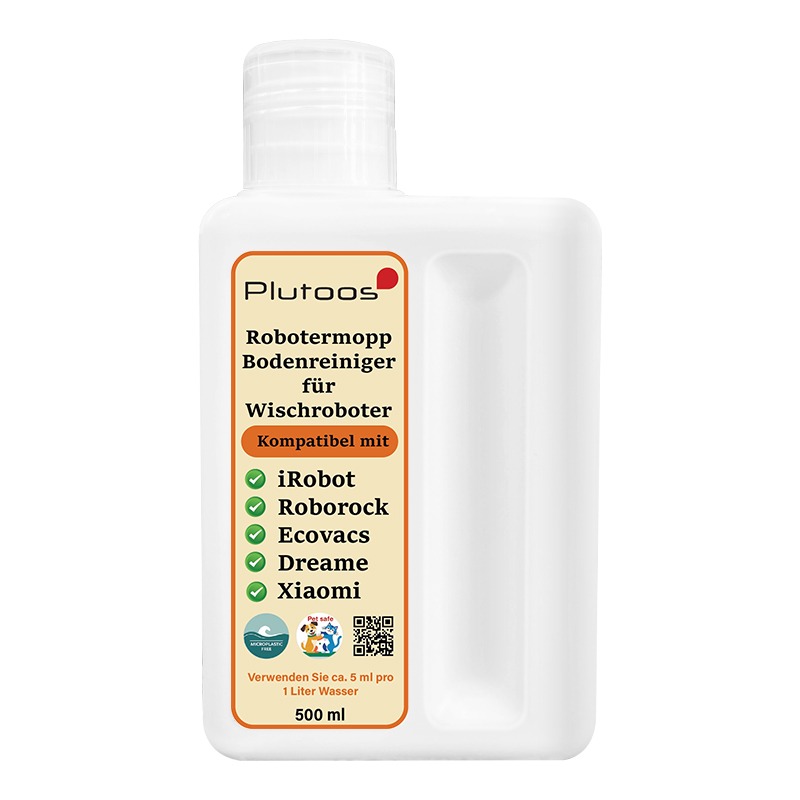
Plutoos Universal Robot Mop Floor Cleaner 500 ml = 100 l for iRobot Roborock Ecovacs Dreame Xiaomi & manual mopping — microplastic-free & pet-safe
💧 500 ml = 100 liters of cleaning solutionUniversal for iRobot · Roborock · Ecovacs · Dreame · Xiaomi & manual mopping — a fraction of the per-liter price of ready-to-use cleaners. 🐾 pet-safe 🌊 microplastic-free ✅ ZRC safety-assessed 🌿 plant fragrance A clean floor without effort, a light scent of plant aromas in the room, and the reassuring feeling that everything your robot mop spreads is safe for your family and your four-legged friends — that is exactly what the Plutoos Universal Robot Mop Floor Cleaner is made for. And it is outstanding value for money: one 500 ml bottle gives you a full 100 liters of ready cleaning solution. The balanced formula is 92.85% water-based and works gently but reliably: mild surfactants dissolve everyday dirt, a water softener prevents limescale streaks on tiles and glass, and the plant fragrance leaves a fresh, subtle scent. No microplastics, no aggressive bleach — safe around playing children and sniffing paws. A truly universal solution: compatible with the five big robot mop brands — iRobot, Roborock, Ecovacs, Dreame and Xiaomi — and just as suitable for the classic bucket and manual mop. Exceptionally economical: only 5 ml per 1 liter of water — a fraction of the per-liter price of typical ready-to-use cleaners. Same-working-day dispatch from our Swiss warehouse, delivery mostly the next working day. Compatible robot mop brandsiRobot — Roomba Combo j5/j7/j9, Braava jet m6, all mopping models Roborock — S7, S7 MaxV, S8, S8 Pro Ultra, Qrevo, Saros series Ecovacs — Deebot Ozmo series, X1/X2, T20, T30, N20 Pro Plus Dreame — L10s Ultra, L20 Ultra, X20/X30/X40 Ultra, D series Xiaomi — Mi Robot Vacuum-Mop, X10/X20, Vacuum S10/S20 Note: If unsure about your model, check your robot's manual for "cleaning solution" — if approved, our solution is compatible. Also suitable for manual floor cleaning with bucket and mop. Why this cleaner is good for your home💧 Extremely economical: 5 ml per liter — 500 ml yields ~100 liters of solution, far cheaper per liter than typical ready-to-use cleaners 🌊 Microplastic-free formula: 92.85% water base with fully dissolved ingredients — no plastic particles into the Swiss wastewater system, good for lakes, rivers and drinking water 🐾 Pet-safe formula: independently safety-assessed — no harm on skin contact, no known irritation or sensitization effects. Cats, dogs and rabbits can walk over the dried floor without concern 🌿 Plant fragrance instead of synthetic perfume — subtle, fades after a short drying time 💦 92.85% water base: mild enough for the daily mopping routine 🚿 Water softener against limescale streaks — a real difference in hard-water regions 🦠 Gentle antibacterial effect (bacteriostatic quaternary ammonium salt, only 0.1%) ✅ Independently safety-assessed: ZRC report per ISO 11014-2009 — not classified as hazardous (EC 1272/2008), non-flammable, non-corrosive Package contents1 × Plutoos Universal Robot Mop Floor Cleaner, 500 ml (yields ~100 liters of solution) Usage & dosageWay 1 — directly into the station's solution container (undiluted): If your robot's station has a dedicated container for cleaning solution (e.g. Roborock S8 MaxV Ultra / Qrevo Master & Curv, Dreame X40 Ultra, Ecovacs Deebot X2 Omni — check your manual), pour the solution in directly and undiluted. The station doses and mixes it automatically with every mopping run — no manual mixing needed. Use only if the manufacturer explicitly allows cleaning agents. Way 2 — manual dilution: 5 ml per 1 liter of water into the fresh-water tank. The 500 ml bottle yields ~100 liters of solution — 300–500 mopping runs depending on the model. Way 3 — manual mopping: The same 5 ml per liter works in the bucket for classic hand mopping — one bottle covers robot and manual cleaning. Suitable floors: tiles, laminate, sealed parquet, vinyl, PVC, cork, marble — anything your robot is allowed to mop. Not for untreated wood. Rinse the tank with clear water after use. Care, storage & safetyStore cool, dry and out of reach of children; close the bottle tightly after use. Do not mix with other cleaning agents — especially bleach, strong acids or alkaline cleaners. Do not swallow; avoid eye contact — rinse with water if it occurs. If swallowed, drink water and seek medical advice. Non-flammable; not classified as hazardous (EC 1272/2008, ISO 11014-2009). Certified safety dataClassificationNot classified as hazardous (EC 1272/2008) · non-corrosive · non-flammable · not dangerous goods for transport Skin contactNo harm (per safety data sheet) InhalationNo harm by inhalation (per safety data sheet) Irritation / sensitizationNo known significant effects If swallowedHarmful if swallowed — drink water and seek medical advice; keep out of reach of children Eye contactRinse with plenty of water; seek medical advice Solubility / stabilityFully water-soluble; stable at normal temperature StandardSafety data sheet per ISO 11014-2009, assessed by ZRC (report ZRC2412040XY) Composition (certified)Water (CAS 7732-18-5)92.85%Water softener3.4%Surfactant3%Plant perfume0.3%Solubilizer0.3%Bacteriostatic quaternary ammonium salt0.1%Pigment (coloring)0.05% TroubleshootingProblemSolution Robot leaves too much water on the floorReduce the water-flow level in the robot's app (iRobot, Roborock, Ecovacs, Dreame and Xiaomi all offer a water setting) — or reduce the dosage to 3–4 ml per liter. Robot has no cleaning-agent approvalFor plain water tanks without approval: apply the solution to the mopping pad, not into the tank. Streaks on the floorReduce dosage (3–4 ml/l, especially with soft water); wash the pads — residues of old cleaners cause streaking. Smell in the tankEmpty the tank, rinse with clear water, let it dry open; do not leave solution in the tank for weeks. Station not dosingRinse the compartment and intake with warm water — remove dried-on residue. Shipping & returns✓ Free shipping (CH/FL) · ✓ Next-working-day delivery (latest the 2nd) · ✓ 60-day returns (unopened) · ✓ 14-day returns (opened, fees apply) · ✓ TWINT, PostFinance, Visa, Mastercard, invoice · ✓ Eco-friendly packaging FAQ❓ Does this cleaner really work with all major robot mop brands?Yes — the mild, balanced formula is safe for the pumps, hoses and pads of iRobot, Roborock, Ecovacs, Dreame and Xiaomi. It does not attack seals, leaves no residue and does not over-foam. If unsure, check your manual — if "cleaning solution" is approved, ours is compatible. ❓ Is the solution really pet-safe?Yes. No microplastics, no aggressive bleach or solvents; the bacteriostatic agent is used at a low 0.1% — cats, dogs and small animals can walk on the dried floor without concern. Still: do not let pets drink it, keep the bottle out of reach. ❓ How many mopping runs does a 500 ml bottle give?At 5 ml per liter the bottle yields around 100 liters of solution — about 300–500 mopping runs depending on the robot, typically several months of routine cleaning for an 80–100 m² home. ❓ On which floors can I use it?All hard floors your robot is approved to mop: tiles, laminate, sealed parquet, vinyl, PVC, cork, marble, natural stone. Not for untreated wood or open-pored natural materials. If unsure, test on an inconspicuous spot first. ❓ How fast is delivery?Ordered before 5 p.m. and in stock: your order leaves our Swiss warehouse the same working day — delivered mostly the next working day, latest the 2nd. Free shipping across Switzerland and Liechtenstein. Live stock and the expected delivery date are shown at the top next to the add-to-cart button — if an item is out of stock, we deliver as soon as possible, usually within 15 days.

Plutoos LC-1100 Black Ink Cartridge with Chip Compatible with Brother LC-1100 25 ml for DCP-6690CW MFC-6490CW MFC-5890CN
🖨️ LC-1100 Black: 25 ml — up to 450 pagesWith chip · replaces Brother LC1100BK · up to 450 pages · for Brother DCP-6690CW, MFC-6490CW, MFC-5890CN✓ with chip💧 25 ml🖨️ up to 450 pages🇨🇭 Swiss warehouseThe Plutoos LC-1100 Black is a compatible replacement for the original Brother LC-1100 (OEM reference LC1100BK) — with 25 ml and a yield of up to 450 pages per ISO/IEC 24711. Ships with chip: automatic recognition and ink-level display as usual.The drawer is empty, the spare is gone — and the Brother MFC-5890CN always picks the least convenient evening to let you know. This compatible ink cartridge with 25 ml of black and chip prints up to 450 pages at around one Rappen per page. The printer recognizes it in seconds, and your manufacturer's warranty remains fully intact. Unopened, you also have 60 days to return it — the decision stays reversible.Compatible printer models✓ Brother DCP-185C✓ Brother DCP-385C✓ Brother DCP-395CN✓ Brother DCP-585CW✓ Brother DCP-6690CW✓ Brother DCP-J715W✓ Brother MFC-490CW✓ Brother MFC-790CW✓ Brother MFC-795CW✓ Brother MFC-990CW✓ Brother MFC-5490CN✓ Brother MFC-5890CN✓ Brother MFC-5895CW✓ Brother MFC-6490CW✓ Brother MFC-6890CDW✓ Brother MFC-J615WNote on firmware updates: As a rule, only the latest firmware versions of a printer are able to identify and restrict compatible cartridges. Many customers and user forums report that compatible cartridges keep working without interruption when automatic firmware updates remain switched off in the printer settings. The decision rests solely with the customer.Package contentsCartridgeColorChipVolumeYieldPlutoos LC-1100 (replaces LC1100BK)Black✓ with chip25 mlup to 450 pagesPage yield per ISO/IEC 24711, 5% coverage.Installation & first useUnpack only right before installing and pull the protective strip.Insert until it clicks — the chip is recognized automatically, no resetter needed.Confirm the “non-genuine cartridge” notice with OK — this is normal.Print a nozzle check after installation.Care & storageStore sealed, upright, at 5–35 °C, away from direct sunlight — best used within 24 months.Print a few pages at least every 2–3 weeks so the nozzles do not dry out.Never leave the printer without a cartridge — the print head can dry out.Storing an opened cartridge: seal all open ports with the original protective tape, a tank tape or ordinary scotch tape, cover the contacts, store upright at room temperature.(Our advice: once opened, use the cartridge up completely rather than storing it — opened cartridges are very likely to dry out or start leaking.)Good to know“Non-genuine cartridge” message: One-time notice — confirm with OK, printing continues normally. The printer warranty remains valid.Firmware updates:Printer manufacturers occasionally release updates that restrict the recognition of non-original cartridges — as a rule, only the latest firmware versions are able to identify and block compatible cartridges. Many customers and user forums report that those who want to use compatible cartridges improve their chances of trouble-free operation when automatic firmware updates remain switched off in the printer settings. If an update has already been installed and messages such as “Cartridge not compatible” or “Ink level low” appear, other customers report that rolling the firmware back to the previous version has helped — instructions can be found via a Google/YouTube search for your printer model and “firmware downgrade”. We pass on these experiences of other customers in good faith; whether and how you apply them is solely your decision and responsibility — results may vary from printer to printer.Ink level display: The chip reports levels; on some models the display may differ slightly — the actual fill volume is not affected.Also for LC-980/LC-985 printers: In many models the cartridges also replace the LC-980/LC-985 series — if unsure, check your printer model in the table.TroubleshootingProblemSolutionCartridge not recognizedRemove, wipe the contacts with a dry cloth, reinsert until it clicks, restart the printer.Streaks / faint printRun 1–2 nozzle cleanings from the printer menu, then a nozzle check.Wrong colorsRun print head alignment from the printer menu.Message “Cartridge not compatible” / “Ink level low” after a firmware updateRestart the printer, remove the cartridge and reinsert it until it clicks, confirm the message with OK. If the message appears immediately after a firmware update, other customers report that rolling the firmware back to the previous version has helped (Google/YouTube search: printer model + “firmware downgrade”) — the decision and its execution rest solely with the customer.✓ Free shipping (CH/FL) · ✓ Next-working-day delivery (latest the 2nd) · ✓ 60-day returns (unopened) · ✓ 14-day returns (opened, fees apply) · ✓ TWINT, PostFinance, Visa, Mastercard, invoice · ✓ Eco-friendly packagingFAQ❓ Does a compatible cartridge void my printer warranty?No. Under Swiss and EU law the warranty remains valid unless the cartridge demonstrably caused the defect.❓ Does the ink level display work?Yes — the cartridge ships with chip; the printer shows levels as usual. No chip swap, no resetter.❓ Is print quality the same as the original?Yes — ink matched to Brother's piezo inkjet technology, produced to ISO 9001 standards.❓ My printer suddenly reports an error after an update — is the cartridge defective?No, as a rule it is not. Printer manufacturers occasionally release firmware updates that identify and restrict compatible cartridges — the cartridge itself remains fully functional. Many customers report that rolling the firmware back to the previous version helps (Google/YouTube search: printer model + “firmware downgrade”) and that compatible cartridges work most reliably when automatic updates remain switched off in the printer settings. Whether and how you apply this is solely your decision and responsibility.❓ How fast is delivery?Ordered before 5 p.m. and in stock: your order leaves our Swiss warehouse the same working day — delivered mostly the next working day, latest the 2nd. Free shipping across Switzerland and Liechtenstein. Live stock and the expected delivery date are shown at the top next to the add-to-cart button — if out of stock, we deliver as soon as possible, usually within 15 days.
Content: 25 ml (CHF 17.80 / 100 ml)

Plutoos CLT-R407 Drum Unit – Compatible with Samsung CLP-320 CLP-325W CLX-3185FW CLX-3185FN, ca. 9’000 pages Lebensdauer
Plutoos CLT-R407 Toner+Drum Unit – Compatible with Samsung CLT-R407, Samsung CLP-320, 9000 pages The Plutoos CLT-R407 toner is a compatible replacement for the original Samsung CLT-R407 toner — an affordable alternative with no loss of quality. Ships from our Swiss warehouse. Specifically developed for Samsung CLP-325W, Samsung CLX-3185FW, Samsung CLP-320N, Samsung CLX-3185FN. A total of 4 Samsung models confirmed compatible — full list below. Yield: approx. 9000 pages (ISO/IEC, 5% coverage). Plutoos service: Free next-day delivery from our Swiss warehouse · 60-day returns & money-back guarantee · top-rated on Trustpilot and Google · eco-friendly packaging · responsible production partners. Compatible printer models:Samsung CLP-325WSamsung CLX-3185FWSamsung CLP-320NSamsung CLX-3185FN
Content: 9000 Seiten (CHF 0.66 / 100 Seiten)

Plutoos MLT-D1052 Toner Black – Compatible with Samsung MLT-D1052, Samsung MLT-D1052L, 2500 pages
🖨️ MLT-D1052 Schwarz: up to 2500 pagesup to 2500 pages🎨 Schwarz📄 2500 pages🇨🇭 Swiss stockThe Plutoos MLT-D1052 toner is a compatible replacement for the original Samsung MLT-D1052 toner — an affordable alternative with no loss of quality. Ships from our Swiss warehouse.Specifically developed for Samsung ML-1910, Samsung ML-2525, Samsung SCX-4623FN, Samsung ML-1915. A total of 4 Samsung models confirmed compatible — full list below.Technical dataProduct typeCompatible toner cartridgeColourSchwarzPage yieldup to 2500 pagesOEM referenceMLT-D1052, MLT-D1052LPrinter brandSamsungStandardISO/IEC 19752Installation & first useUnpack the toner only right before installing it.Gently rock the cartridge horizontally 5–6 times so the toner powder spreads evenly.Remove the protective seal or strip.Insert the cartridge until it clicks.Confirm the non-original supplies notice with OK — this is normal, printing continues normally.Finally, print a test page.Care & storageStore cool, dry and dark — protected from direct sunlight and heat sources.Store the cartridge lying flat in its original protective bag.Once opened, use the cartridge up rather than storing it — opened toner cartridges attract moisture.Recycling: Return empty toner cartridges to us free of charge, hand them in at any electronics store (e.g. Media Markt, Fust or Interdiscount) or dispose of them at a recycling centre.Good to know“Toner low” message: often appears too early. Remove the cartridge, rock it gently again and keep printing — it often lasts many more pages.Page yield: ISO figure at approx. 5% coverage — with graphics or photos the real-world figure is correspondingly lower.Firmware updates: printer manufacturers occasionally ship updates that restrict recognition of non-original cartridges — compatible cartridges work most reliably with automatic firmware updates switched off.TroubleshootingCartridge not recognizedRemove it, wipe the contacts with a dry cloth, reinsert until it clicks, restart the printer.Streaks or faint printRemove the cartridge and rock it gently 5–6 times again; if that doesn't help, check toner-save mode in the driver.“Cartridge not compatible” after a firmware updateRestart the printer, reinsert the cartridge; user reports suggest disabling automatic firmware updates helps.
Content: 2500 Seiten (CHF 1.38 / 100 Seiten)

Plutoos 3-in-1 magnetic charging cable 1 m black — Lightning, Micro-USB, USB-C, 3 A, with LED
Plutoos 3-in-1 magnetic charging cable 1 m black — Lightning, Micro-USB, USB-C, 3 A, with LED The Plutoos PL11788 is a 3-in-1 magnetic charging cable with three interchangeable magnetic tips — Lightning, Micro-USB and USB-C. That covers iPhone, iPad, Android phones, tablets, cameras, Bluetooth headphones, game controllers and almost anything that charges through one of these three ports. One cable instead of three on your desk or on the road. The magnetic connector pulls the plug precisely into the correct position — one-handed, in the dark, no fumbling and no upside-down inserts. The tip stays permanently in the device port and doubles as a dust plug; the cable itself simply docks onto it magnetically. This noticeably reduces wear on your device's charging port, because the mechanical stress of plugging in and out is removed. Robust construction: PVC core, nylon-braided sleeve, ABS connectors, and an aluminium-alloy magnetic head. An integrated LED at the magnetic joint glows blue as soon as current flows — you can see at a glance whether the connection is solid. Cable length is 1 m. Ships from Switzerland with 1-3 day delivery. Package Contents 1 × Plutoos PL11788 magnetic charging cable 1 m, black nylon braid, USB-A plug to magnetic head 1 × Apple Lightning magnetic tip 1 × Micro-USB magnetic tip 1 × USB-C magnetic tip Device and Connector Compatibility Apple Lightning tipiPhone 5 through iPhone 14, iPad with Lightning port, AirPods charging case, Apple keyboard/Magic Mouse USB-C tipiPhone 15/16 (USB-C), Android smartphones (Samsung Galaxy, Xiaomi, Pixel etc.), iPad Pro/Air, tablets, MacBook (charge only, no data), USB-C game controllers Micro-USB tipOlder Android phones, Bluetooth headphones, power banks, cameras, e-readers, many toy drones USB-A host sideFits computer USB, fast-charge wall adapters, car adapters, power banks Why Choose the Plutoos PL11788? Three connectors, one cable: Lightning, Micro-USB and USB-C — covers almost every device in your home Magnetic connection: one-handed plug-in, any orientation, even in the dark Protects your device port: the tip stays in the device — no wear on the device's charging port Doubles as dust plug: tip keeps dust and lint out of the socket 360° rotating joint: magnet snaps in from any direction Blue LED indicator: shows instantly when current is flowing and the connection is good 3 A fast charging: up to 3 A current for efficient charging 480 Mbps data transfer: USB 2.0 standard for sync, photos, backups Tough materials: nylon braid, aluminium magnetic head, ABS plugs — kink- and pull-resistant Ships from Switzerland: same-day dispatch for orders before 14:00 60-day return policy: on unopened items Technical Data TypeMagnetic 3-in-1 charging and data cable Cable length1 m Host sideUSB-A 2.0 Magnetic tips3 included: Apple Lightning, Micro-USB, USB-C Charge currentup to 3 A Data transferup to 480 Mbps (USB 2.0) LED indicatorBlue LED on the magnetic joint Rotating joint360° MaterialsPVC core, nylon-braided sleeve, ABS connectors, aluminium-alloy magnetic head ColourBlack Dual functionTip stays in device port as dust plug Shipping & Returns Free shipping for all orders Next working day delivery when in stock (stock and delivery date shown near the "Add to Cart" button above) 60-day return policy for unopened items 14-day return policy for opened items (fees apply) Secure payments via PostFinance Payment Gateway, TWINT, Mastercard, Visa, Google Pay and PostFinance Pay Eco-friendly packaging Frequently Asked Questions about the Plutoos PL11788 1. Which devices work with this cable?Practically all devices with Lightning, Micro-USB or USB-C ports: iPhone (5-14 with Lightning, 15/16 with USB-C), iPad, Android smartphones (Samsung Galaxy, Xiaomi, Google Pixel etc.), tablets, AirPods, Bluetooth headphones, power banks, game controllers (Switch, PS5, Xbox Wireless), cameras, e-readers and more. Just snap on the matching magnetic tip. 2. How fast does it charge?Up to 3 A current (drawn from the wall adapter), which is about 15 W at 5 V. That qualifies as fast-charge for most smartphones. Note: for higher USB-C PD speeds (18 W+), this cable is capped at 3 A — for full iPhone or MacBook PD speed you need a dedicated USB-C-to-USB-C cable. 3. Does it also do data — e.g. iPhone backup to a Mac?Yes, the cable carries data up to 480 Mbps (USB 2.0 standard). That is sufficient for photo sync, backups, file transfer and Apple iTunes/Finder sync. For USB 3 speeds (5 Gbps and higher) you need a dedicated USB 3 cable — those speeds are not standardised over magnetic pogo-pin connections. 4. Does Plutoos deliver in Switzerland?Yes, next working day delivery if the item is in stock. The current stock availability and expected delivery date are shown directly near the "Add to Cart" button at the top of this page. Free shipping for all orders. 5. What is included?In the pack: 1 × Plutoos PL11788 magnetic charging cable 1 m black with USB-A plug to magnetic head, plus all three magnetic tips — Apple Lightning, Micro-USB and USB-C — so you can use it across different devices straight away.

Plutoos ML-1610 Toner Schwarz mit Chip – Kompatibel mit Samsung ML-1610, Samsung MLT-D119S/ELS (119), 2000 Seiten
🖨️ ML-1610 Schwarz: up to 2000 pagesup to 2000 pages🎨 Schwarz📄 2000 pages🇨🇭 Swiss stockThe Plutoos ML-1610 toner is a compatible replacement for the original Samsung ML-1610 toner — an affordable alternative with no loss of quality. Ships from our Swiss warehouse.Specifically developed for Samsung ML-2010, Samsung ML-1615, Samsung ML-2510. A total of 3 Samsung models confirmed compatible — full list below.Technical dataProduct typeCompatible toner cartridgeColourSchwarzPage yieldup to 2000 pagesOEM referenceML-1610, MLT-D119SPrinter brandSamsungChipwith chipStandardISO/IEC 19752Compatible printer models✓ Samsung ML-1610✓ Samsung ML-2010✓ Samsung ML-2010R✓ Samsung ML-2510✓ Samsung ML-2570✓ Samsung ML-2571N✓ Samsung SCX-4321✓ Samsung SCX-4521F✓ Dell 1100✓ Dell 1110✓ Xerox Phaser 3117✓ Xerox Phaser 3122✓ Xerox Phaser 3124✓ Xerox Phaser 3125Installation & first useUnpack the toner only right before installing it.Gently rock the cartridge horizontally 5–6 times so the toner powder spreads evenly.Remove the protective seal or strip.Insert the cartridge until it clicks — the chip is recognized automatically, no reset needed.Confirm the non-original supplies notice with OK — this is normal, printing continues normally.Finally, print a test page.Care & storageStore cool, dry and dark — protected from direct sunlight and heat sources.Store the cartridge lying flat in its original protective bag.Once opened, use the cartridge up rather than storing it — opened toner cartridges attract moisture.Recycling: Return empty toner cartridges to us free of charge, hand them in at any electronics store (e.g. Media Markt, Fust or Interdiscount) or dispose of them at a recycling centre.Good to know“Toner low” message: often appears too early. Remove the cartridge, rock it gently again and keep printing — it often lasts many more pages.Page yield: ISO figure at approx. 5% coverage — with graphics or photos the real-world figure is correspondingly lower.Firmware updates: printer manufacturers occasionally ship updates that restrict recognition of non-original cartridges — compatible cartridges work most reliably with automatic firmware updates switched off.TroubleshootingCartridge not recognizedRemove it, wipe the contacts with a dry cloth, reinsert until it clicks, restart the printer.Streaks or faint printRemove the cartridge and rock it gently 5–6 times again; if that doesn't help, check toner-save mode in the driver.“Cartridge not compatible” after a firmware updateRestart the printer, reinsert the cartridge; user reports suggest disabling automatic firmware updates helps.
Content: 3500 Seiten (CHF 0.58 / 100 Seiten)

Plutoos LC-1100 Cyan Ink Cartridge with Chip Compatible with Brother LC-1100 12 ml for DCP-6690CW MFC-6490CW MFC-5890CN
🖨️ LC-1100 Cyan: 12 ml — up to 325 pagesWith chip · replaces Brother LC1100C · up to 325 pages · for Brother DCP-6690CW, MFC-6490CW, MFC-5890CN✓ with chip💧 12 ml🖨️ up to 325 pages🇨🇭 Swiss warehouseThe Plutoos LC-1100 Cyan is a compatible replacement for the original Brother LC-1100 (OEM reference LC1100C) — with 12 ml and a yield of up to 325 pages per ISO/IEC 24711. Ships with chip: automatic recognition and ink-level display as usual.Blue is the working colour of the office: charts, plans, letterheads — and the Brother DCP-6690CW draws cyan for all of them. This compatible cartridge refills 12 ml, enough for up to 325 pages, and you swap only the colour that is empty. At around one Rappen per page it pays off from the first sheet. And if anything is not right, one email to our team is enough — the reply comes quickly and in your language.Compatible printer models✓ Brother DCP-185C✓ Brother DCP-385C✓ Brother DCP-395CN✓ Brother DCP-585CW✓ Brother DCP-6690CW✓ Brother DCP-J715W✓ Brother MFC-490CW✓ Brother MFC-790CW✓ Brother MFC-795CW✓ Brother MFC-990CW✓ Brother MFC-5490CN✓ Brother MFC-5890CN✓ Brother MFC-5895CW✓ Brother MFC-6490CW✓ Brother MFC-6890CDW✓ Brother MFC-J615WNote on firmware updates: As a rule, only the latest firmware versions of a printer are able to identify and restrict compatible cartridges. Many customers and user forums report that compatible cartridges keep working without interruption when automatic firmware updates remain switched off in the printer settings. The decision rests solely with the customer.Package contentsCartridgeColorChipVolumeYieldPlutoos LC-1100 (replaces LC1100C)Cyan✓ with chip12 mlup to 325 pagesPage yield per ISO/IEC 24711, 5% coverage.Installation & first useUnpack only right before installing and pull the protective strip.Insert until it clicks — the chip is recognized automatically, no resetter needed.Confirm the “non-genuine cartridge” notice with OK — this is normal.Print a nozzle check after installation.Care & storageStore sealed, upright, at 5–35 °C, away from direct sunlight — best used within 24 months.Print a few pages at least every 2–3 weeks so the nozzles do not dry out.Never leave the printer without a cartridge — the print head can dry out.Storing an opened cartridge: seal all open ports with the original protective tape, a tank tape or ordinary scotch tape, cover the contacts, store upright at room temperature.(Our advice: once opened, use the cartridge up completely rather than storing it — opened cartridges are very likely to dry out or start leaking.)Good to know“Non-genuine cartridge” message: One-time notice — confirm with OK, printing continues normally. The printer warranty remains valid.Firmware updates:Printer manufacturers occasionally release updates that restrict the recognition of non-original cartridges — as a rule, only the latest firmware versions are able to identify and block compatible cartridges. Many customers and user forums report that those who want to use compatible cartridges improve their chances of trouble-free operation when automatic firmware updates remain switched off in the printer settings. If an update has already been installed and messages such as “Cartridge not compatible” or “Ink level low” appear, other customers report that rolling the firmware back to the previous version has helped — instructions can be found via a Google/YouTube search for your printer model and “firmware downgrade”. We pass on these experiences of other customers in good faith; whether and how you apply them is solely your decision and responsibility — results may vary from printer to printer.Ink level display: The chip reports levels; on some models the display may differ slightly — the actual fill volume is not affected.Also for LC-980/LC-985 printers: In many models the cartridges also replace the LC-980/LC-985 series — if unsure, check your printer model in the table.TroubleshootingProblemSolutionCartridge not recognizedRemove, wipe the contacts with a dry cloth, reinsert until it clicks, restart the printer.Streaks / faint printRun 1–2 nozzle cleanings from the printer menu, then a nozzle check.Wrong colorsRun print head alignment from the printer menu.Message “Cartridge not compatible” / “Ink level low” after a firmware updateRestart the printer, remove the cartridge and reinsert it until it clicks, confirm the message with OK. If the message appears immediately after a firmware update, other customers report that rolling the firmware back to the previous version has helped (Google/YouTube search: printer model + “firmware downgrade”) — the decision and its execution rest solely with the customer.✓ Free shipping (CH/FL) · ✓ Next-working-day delivery (latest the 2nd) · ✓ 60-day returns (unopened) · ✓ 14-day returns (opened, fees apply) · ✓ TWINT, PostFinance, Visa, Mastercard, invoice · ✓ Eco-friendly packagingFAQ❓ Does a compatible cartridge void my printer warranty?No. Under Swiss and EU law the warranty remains valid unless the cartridge demonstrably caused the defect.❓ Does the ink level display work?Yes — the cartridge ships with chip; the printer shows levels as usual. No chip swap, no resetter.❓ Is print quality the same as the original?Yes — ink matched to Brother's piezo inkjet technology, produced to ISO 9001 standards.❓ My printer suddenly reports an error after an update — is the cartridge defective?No, as a rule it is not. Printer manufacturers occasionally release firmware updates that identify and restrict compatible cartridges — the cartridge itself remains fully functional. Many customers report that rolling the firmware back to the previous version helps (Google/YouTube search: printer model + “firmware downgrade”) and that compatible cartridges work most reliably when automatic updates remain switched off in the printer settings. Whether and how you apply this is solely your decision and responsibility.❓ How fast is delivery?Ordered before 5 p.m. and in stock: your order leaves our Swiss warehouse the same working day — delivered mostly the next working day, latest the 2nd. Free shipping across Switzerland and Liechtenstein. Live stock and the expected delivery date are shown at the top next to the add-to-cart button — if out of stock, we deliver as soon as possible, usually within 15 days.
Content: 12 ml (CHF 37.08 / 100 ml)

Plutoos C3760 Multipack – Compatible with Dell C3760 Dell 593-11119 593-11122 593-11121 593-11120 4-Pack BK+C+M+Y 38000 pages total
Plutoos C3760 Multipack – Compatible with Dell C3760 Dell 593-11119 593-11122 593-11121 593-11120 4-Pack BK+C+M+Y 38000 pages total The Plutoos C3760 toner is a compatible replacement for the original Dell C3760 toner — an affordable alternative with no loss of quality. Ships from our Swiss warehouse. Specifically developed for Dell C3760dn, Dell C3765dnf, Dell C3760n. A total of 3 Dell models confirmed compatible — full list below. Yield: approx. 38000 pages (ISO/IEC, 5% coverage). Plutoos service: Free next-day delivery from our Swiss warehouse · 60-day returns & money-back guarantee · top-rated on Trustpilot and Google · eco-friendly packaging · responsible production partners. Compatible printer models:Dell C3760dnDell C3765dnfDell C3760n
Content: 38000 Seiten (CHF 0.61 / 100 Seiten)

Plutoos LC-1100 Yellow Ink Cartridge with Chip Compatible with Brother LC-1100 12 ml for DCP-6690CW MFC-6490CW MFC-5890CN
🖨️ LC-1100 Yellow: 12 ml — up to 325 pagesWith chip · replaces Brother LC1100Y · up to 325 pages · for Brother DCP-6690CW, MFC-6490CW, MFC-5890CN✓ with chip💧 12 ml🖨️ up to 325 pages🇨🇭 Swiss warehouseThe Plutoos LC-1100 Yellow is a compatible replacement for the original Brother LC-1100 (OEM reference LC1100Y) — with 12 ml and a yield of up to 325 pages per ISO/IEC 24711. Ships with chip: automatic recognition and ink-level display as usual.For the club poster in A3, the Brother DCP-6690CW needs one thing above all: yellow that does not quit halfway. This cartridge brings 12 ml with chip and manages up to 325 pages — you replace only the colour that is actually empty. At around one Rappen per page, even the big job stays affordable. And the plain, reused packaging means less cardboard in the recycling and more ink for your money.Compatible printer models✓ Brother DCP-185C✓ Brother DCP-385C✓ Brother DCP-395CN✓ Brother DCP-585CW✓ Brother DCP-6690CW✓ Brother DCP-J715W✓ Brother MFC-490CW✓ Brother MFC-790CW✓ Brother MFC-795CW✓ Brother MFC-990CW✓ Brother MFC-5490CN✓ Brother MFC-5890CN✓ Brother MFC-5895CW✓ Brother MFC-6490CW✓ Brother MFC-6890CDW✓ Brother MFC-J615WNote on firmware updates: As a rule, only the latest firmware versions of a printer are able to identify and restrict compatible cartridges. Many customers and user forums report that compatible cartridges keep working without interruption when automatic firmware updates remain switched off in the printer settings. The decision rests solely with the customer.Package contentsCartridgeColorChipVolumeYieldPlutoos LC-1100 (replaces LC1100Y)Yellow✓ with chip12 mlup to 325 pagesPage yield per ISO/IEC 24711, 5% coverage.Installation & first useUnpack only right before installing and pull the protective strip.Insert until it clicks — the chip is recognized automatically, no resetter needed.Confirm the “non-genuine cartridge” notice with OK — this is normal.Print a nozzle check after installation.Care & storageStore sealed, upright, at 5–35 °C, away from direct sunlight — best used within 24 months.Print a few pages at least every 2–3 weeks so the nozzles do not dry out.Never leave the printer without a cartridge — the print head can dry out.Storing an opened cartridge: seal all open ports with the original protective tape, a tank tape or ordinary scotch tape, cover the contacts, store upright at room temperature.(Our advice: once opened, use the cartridge up completely rather than storing it — opened cartridges are very likely to dry out or start leaking.)Good to know“Non-genuine cartridge” message: One-time notice — confirm with OK, printing continues normally. The printer warranty remains valid.Firmware updates:Printer manufacturers occasionally release updates that restrict the recognition of non-original cartridges — as a rule, only the latest firmware versions are able to identify and block compatible cartridges. Many customers and user forums report that those who want to use compatible cartridges improve their chances of trouble-free operation when automatic firmware updates remain switched off in the printer settings. If an update has already been installed and messages such as “Cartridge not compatible” or “Ink level low” appear, other customers report that rolling the firmware back to the previous version has helped — instructions can be found via a Google/YouTube search for your printer model and “firmware downgrade”. We pass on these experiences of other customers in good faith; whether and how you apply them is solely your decision and responsibility — results may vary from printer to printer.Ink level display: The chip reports levels; on some models the display may differ slightly — the actual fill volume is not affected.Also for LC-980/LC-985 printers: In many models the cartridges also replace the LC-980/LC-985 series — if unsure, check your printer model in the table.TroubleshootingProblemSolutionCartridge not recognizedRemove, wipe the contacts with a dry cloth, reinsert until it clicks, restart the printer.Streaks / faint printRun 1–2 nozzle cleanings from the printer menu, then a nozzle check.Wrong colorsRun print head alignment from the printer menu.Message “Cartridge not compatible” / “Ink level low” after a firmware updateRestart the printer, remove the cartridge and reinsert it until it clicks, confirm the message with OK. If the message appears immediately after a firmware update, other customers report that rolling the firmware back to the previous version has helped (Google/YouTube search: printer model + “firmware downgrade”) — the decision and its execution rest solely with the customer.✓ Free shipping (CH/FL) · ✓ Next-working-day delivery (latest the 2nd) · ✓ 60-day returns (unopened) · ✓ 14-day returns (opened, fees apply) · ✓ TWINT, PostFinance, Visa, Mastercard, invoice · ✓ Eco-friendly packagingFAQ❓ Does a compatible cartridge void my printer warranty?No. Under Swiss and EU law the warranty remains valid unless the cartridge demonstrably caused the defect.❓ Does the ink level display work?Yes — the cartridge ships with chip; the printer shows levels as usual. No chip swap, no resetter.❓ Is print quality the same as the original?Yes — ink matched to Brother's piezo inkjet technology, produced to ISO 9001 standards.❓ My printer suddenly reports an error after an update — is the cartridge defective?No, as a rule it is not. Printer manufacturers occasionally release firmware updates that identify and restrict compatible cartridges — the cartridge itself remains fully functional. Many customers report that rolling the firmware back to the previous version helps (Google/YouTube search: printer model + “firmware downgrade”) and that compatible cartridges work most reliably when automatic updates remain switched off in the printer settings. Whether and how you apply this is solely your decision and responsibility.❓ How fast is delivery?Ordered before 5 p.m. and in stock: your order leaves our Swiss warehouse the same working day — delivered mostly the next working day, latest the 2nd. Free shipping across Switzerland and Liechtenstein. Live stock and the expected delivery date are shown at the top next to the add-to-cart button — if out of stock, we deliver as soon as possible, usually within 15 days.

Plutoos LC-1100 Magenta Ink Cartridge with Chip Compatible with Brother LC-1100 12 ml for DCP-6690CW MFC-6490CW MFC-5890CN
🖨️ LC-1100 Magenta: 12 ml — up to 325 pagesWith chip · replaces Brother LC1100M · up to 325 pages · for Brother DCP-6690CW, MFC-6490CW, MFC-5890CN✓ with chip💧 12 ml🖨️ up to 325 pages🇨🇭 Swiss warehouseThe Plutoos LC-1100 Magenta is a compatible replacement for the original Brother LC-1100 (OEM reference LC1100M) — with 12 ml and a yield of up to 325 pages per ISO/IEC 24711. Ships with chip: automatic recognition and ink-level display as usual.Handouts in company colours forgive no weak magenta — and the Brother MFC-6490CW mercilessly prints exactly what is left in the tank. With 12 ml of magenta and chip, this cartridge delivers up to 325 pages of rich reds and violets. That costs around one Rappen per page: colour becomes a footnote on the expense report. Chip recognized instantly, warranty untouched, 60-day returns on unopened items — an ink purchase does not need more of a safety net.Compatible printer models✓ Brother DCP-185C✓ Brother DCP-385C✓ Brother DCP-395CN✓ Brother DCP-585CW✓ Brother DCP-6690CW✓ Brother DCP-J715W✓ Brother MFC-490CW✓ Brother MFC-790CW✓ Brother MFC-795CW✓ Brother MFC-990CW✓ Brother MFC-5490CN✓ Brother MFC-5890CN✓ Brother MFC-5895CW✓ Brother MFC-6490CW✓ Brother MFC-6890CDW✓ Brother MFC-J615WNote on firmware updates: As a rule, only the latest firmware versions of a printer are able to identify and restrict compatible cartridges. Many customers and user forums report that compatible cartridges keep working without interruption when automatic firmware updates remain switched off in the printer settings. The decision rests solely with the customer.Package contentsCartridgeColorChipVolumeYieldPlutoos LC-1100 (replaces LC1100M)Magenta✓ with chip12 mlup to 325 pagesPage yield per ISO/IEC 24711, 5% coverage.Installation & first useUnpack only right before installing and pull the protective strip.Insert until it clicks — the chip is recognized automatically, no resetter needed.Confirm the “non-genuine cartridge” notice with OK — this is normal.Print a nozzle check after installation.Care & storageStore sealed, upright, at 5–35 °C, away from direct sunlight — best used within 24 months.Print a few pages at least every 2–3 weeks so the nozzles do not dry out.Never leave the printer without a cartridge — the print head can dry out.Storing an opened cartridge: seal all open ports with the original protective tape, a tank tape or ordinary scotch tape, cover the contacts, store upright at room temperature.(Our advice: once opened, use the cartridge up completely rather than storing it — opened cartridges are very likely to dry out or start leaking.)Good to know“Non-genuine cartridge” message: One-time notice — confirm with OK, printing continues normally. The printer warranty remains valid.Firmware updates:Printer manufacturers occasionally release updates that restrict the recognition of non-original cartridges — as a rule, only the latest firmware versions are able to identify and block compatible cartridges. Many customers and user forums report that those who want to use compatible cartridges improve their chances of trouble-free operation when automatic firmware updates remain switched off in the printer settings. If an update has already been installed and messages such as “Cartridge not compatible” or “Ink level low” appear, other customers report that rolling the firmware back to the previous version has helped — instructions can be found via a Google/YouTube search for your printer model and “firmware downgrade”. We pass on these experiences of other customers in good faith; whether and how you apply them is solely your decision and responsibility — results may vary from printer to printer.Ink level display: The chip reports levels; on some models the display may differ slightly — the actual fill volume is not affected.Also for LC-980/LC-985 printers: In many models the cartridges also replace the LC-980/LC-985 series — if unsure, check your printer model in the table.TroubleshootingProblemSolutionCartridge not recognizedRemove, wipe the contacts with a dry cloth, reinsert until it clicks, restart the printer.Streaks / faint printRun 1–2 nozzle cleanings from the printer menu, then a nozzle check.Wrong colorsRun print head alignment from the printer menu.Message “Cartridge not compatible” / “Ink level low” after a firmware updateRestart the printer, remove the cartridge and reinsert it until it clicks, confirm the message with OK. If the message appears immediately after a firmware update, other customers report that rolling the firmware back to the previous version has helped (Google/YouTube search: printer model + “firmware downgrade”) — the decision and its execution rest solely with the customer.✓ Free shipping (CH/FL) · ✓ Next-working-day delivery (latest the 2nd) · ✓ 60-day returns (unopened) · ✓ 14-day returns (opened, fees apply) · ✓ TWINT, PostFinance, Visa, Mastercard, invoice · ✓ Eco-friendly packagingFAQ❓ Does a compatible cartridge void my printer warranty?No. Under Swiss and EU law the warranty remains valid unless the cartridge demonstrably caused the defect.❓ Does the ink level display work?Yes — the cartridge ships with chip; the printer shows levels as usual. No chip swap, no resetter.❓ Is print quality the same as the original?Yes — ink matched to Brother's piezo inkjet technology, produced to ISO 9001 standards.❓ My printer suddenly reports an error after an update — is the cartridge defective?No, as a rule it is not. Printer manufacturers occasionally release firmware updates that identify and restrict compatible cartridges — the cartridge itself remains fully functional. Many customers report that rolling the firmware back to the previous version helps (Google/YouTube search: printer model + “firmware downgrade”) and that compatible cartridges work most reliably when automatic updates remain switched off in the printer settings. Whether and how you apply this is solely your decision and responsibility.❓ How fast is delivery?Ordered before 5 p.m. and in stock: your order leaves our Swiss warehouse the same working day — delivered mostly the next working day, latest the 2nd. Free shipping across Switzerland and Liechtenstein. Live stock and the expected delivery date are shown at the top next to the add-to-cart button — if out of stock, we deliver as soon as possible, usually within 15 days.
Content: 12 ml (CHF 37.08 / 100 ml)

Plutoos GC-31XL Multipack 4-Pack BK+C+M+Y – compatible with Ricoh, 118 ml for Aficio GX e3300, GX e3300N, GX e3350, GX e3350N, GX e5550, GX e5550N
🖨️ Plutoos GC-31XL Multipack 4-Pack Compatible with Ricoh GC-31BK+C+M+Y · Black 37 ml, CMY 27 ml each · 500 pages per cartridge🎨 BK+C+M+Y💧 Black 37 ml, CMY 27 ml each🖨️ 500 pages per cartridge🇨🇭 Swiss stockThe Plutoos GC-31XL Multipack is a compatible replacement set for the original Ricoh GC-31 cartridges. The pack contains 4 cartridges with high-quality gel ink.The multipack fits perfectly in Ricoh Aficio GX e3300N, Aficio GX e3350N, Aficio GX e5550N, Aficio GX e7700N. With Plutoos you benefit from same-business-day dispatch from our Swiss warehouse and a 60-day return policy on unopened items.Technical dataProduct typeCompatible GelJet CartridgeVolumeBlack 37 ml, CMY 27 ml eachPrint technologyRicoh GelJetPrinter brandRicohPage yield500 pages per cartridgeComposition1 × Plutoos GC-31XL Black · 37 ml · 1 × Plutoos GC-31XL Cyan · 27 ml · 1 × Plutoos GC-31XL Magenta · 27 ml · 1 × Plutoos GC-31XL Yellow · 27 mlColourBK+C+M+YCompatible printer modelsThe Plutoos GC-31XL fits a wide range of Ricoh printers, including the Aficio GX e3300N, Aficio GX e3350N, Aficio GX e5550N.✓ Ricoh Aficio GX e3300✓ Ricoh Aficio GX e3300N✓ Ricoh Aficio GX e3350✓ Ricoh Aficio GX e3350N✓ Ricoh Aficio GX e5550✓ Ricoh Aficio GX e5550N✓ Ricoh Aficio GX e7700✓ Ricoh Aficio GX e7700NPackage contents1 × Plutoos GC-31XL Black · 37 ml · up to 2,500 pages · OEM ref. 4056881 × Plutoos GC-31XL Cyan · 27 ml · up to 2,000 pages · OEM ref. 4056891 × Plutoos GC-31XL Magenta · 27 ml · up to 2,000 pages · OEM ref. 4056901 × Plutoos GC-31XL Yellow · 27 ml · up to 2,000 pages · OEM ref. 405691Installation & first useUnpack only right before installing and pull the protective strip.Insert until it clicks — the cartridge is recognized automatically, no resetter needed.Confirm the “non-genuine cartridge” notice with OK — this is normal.Print a nozzle check after installation.Care & storageStore sealed, upright, at 5–35 °C, away from direct sunlight — best used within 24 months.Print a few pages at least every 2–3 weeks so the nozzles do not dry out.Never leave the printer without a cartridge — the print head can dry out.Storing an opened cartridge: seal all open ports with the original protective tape, a tank tape or ordinary scotch tape, cover the contacts, store upright at room temperature.(Our advice: once opened, use the cartridge up completely rather than storing it — opened cartridges are very likely to dry out or start leaking.)Recycling: Return empty cartridges to us free of charge, drop them at any electronics store (e.g. Media Markt, Fust or Interdiscount) or hand them in at a recycling centre.Good to know“Non-genuine cartridge” message: One-time notice — confirm with OK, printing continues normally. The printer warranty remains valid.Firmware updates:Printer manufacturers occasionally release updates that restrict the recognition of non-original cartridges — as a rule, only the latest firmware versions are able to identify and block compatible cartridges. Many customers and user forums report that those who want to use compatible cartridges improve their chances of trouble-free operation when automatic firmware updates remain switched off in the printer settings. If an update has already been installed and messages such as “Cartridge not compatible” or “Ink level low” appear, other customers report that rolling the firmware back to the previous version has helped — instructions can be found via a Google/YouTube search for your printer model and “firmware downgrade”. We pass on these experiences of other customers in good faith; whether and how you apply them is solely your decision and responsibility — results may vary from printer to printer.Ink level display: The printer reports ink levels; on some models the display may differ slightly — the actual fill volume is not affected.TroubleshootingProblemSolutionCartridge not recognizedRemove, wipe the contacts with a dry cloth, reinsert until it clicks, restart the printer.Streaks / faint printRun 1–2 nozzle cleanings from the printer menu, then a nozzle check.Wrong colorsRun print head alignment from the printer menu.Message “Cartridge not compatible” / “Ink level low” after a firmware updateRestart the printer, remove the cartridge and reinsert it until it clicks, confirm the message with OK. If the message appears immediately after a firmware update, other customers report that rolling the firmware back to the previous version has helped (Google/YouTube search: printer model + “firmware downgrade”) — the decision and its execution rest solely with the customer.Frequently asked questionsIs the Plutoos GC-31XL compatible with all Ricoh GC-31-family models?Yes, the Plutoos GC-31XL is compatible with many Ricoh printers, including Aficio GX e3300N, Aficio GX e3350N, Aficio GX e5550N, Aficio GX e7700N.How many pages does a Plutoos GC-31XL cartridge print?The Plutoos GC-31XL matches the page yield of the original Ricoh GC-31 cartridge.Are the Plutoos GC-31XL cartridges original Ricoh or compatible?The Plutoos GC-31XL is a compatible cartridge — a cost-effective alternative to the original Ricoh GC-31XL.How fast is delivery within Switzerland?Yes, next working day delivery if in stock. Free shipping on all orders.Does using the Plutoos GC-31XL void the printer warranty?No. Under EU and Swiss consumer law, using compatible cartridges does not void the warranty unless proven to have caused damage.
Content: 8500 Seiten (CHF 0.64 / 100 Seiten)

Plutoos 1250 Toner Cyan with Chip – Compatible with Dell 1250, Dell 593-11141, 1400 pages
🖨️ 1250 Cyan: up to 1'400 pagesup to 1'400 pages🎨 Cyan📄 1'400 pages🇨🇭 Swiss stockThe Plutoos 1250 toner is a compatible replacement for the original Dell 1250 toner — an affordable alternative with no loss of quality. Ships from our Swiss warehouse.Specifically developed for Dell 1250c, Dell 1350cnw, Dell 1355cnw, Dell C1760nw. A total of 4 Dell models confirmed compatible — full list below.Technical dataProduct typeCompatible toner cartridgeColourCyanPage yieldup to 1'400 pagesOEM reference593-11141Printer brandDellChipwith chipStandardISO/IEC 19798Compatible printer models✓ Dell 1250c✓ Dell 1350cnw✓ Dell 1355cn✓ Dell 1355cnwInstallation & first useUnpack the toner only right before installing it.Gently rock the cartridge horizontally 5–6 times so the toner powder spreads evenly.Remove the protective seal or strip.Insert the cartridge until it clicks — the chip is recognized automatically, no reset needed.Confirm the non-original supplies notice with OK — this is normal, printing continues normally.After installation the colour laser may automatically print a calibration page — this is normal and takes a moment.Finally, print a test page.Care & storageStore cool, dry and dark — protected from direct sunlight and heat sources.Store the cartridge lying flat in its original protective bag.Once opened, use the cartridge up rather than storing it — opened toner cartridges attract moisture.Recycling: Return empty toner cartridges to us free of charge, hand them in at any electronics store (e.g. Media Markt, Fust or Interdiscount) or dispose of them at a recycling centre.Good to know“Toner low” message: often appears too early. Remove the cartridge, rock it gently again and keep printing — it often lasts many more pages.Page yield: ISO figure at approx. 5% coverage — with graphics or photos the real-world figure is correspondingly lower.Firmware updates: printer manufacturers occasionally ship updates that restrict recognition of non-original cartridges — compatible cartridges work most reliably with automatic firmware updates switched off.TroubleshootingCartridge not recognizedRemove it, wipe the contacts with a dry cloth, reinsert until it clicks, restart the printer.Streaks or faint printRemove the cartridge and rock it gently 5–6 times again; if that doesn't help, check toner-save mode in the driver.Colours look shifted or dullRun the colour laser's calibration from the printer menu.“Cartridge not compatible” after a firmware updateRestart the printer, reinsert the cartridge; user reports suggest disabling automatic firmware updates helps.
Content: 1400 Seiten (CHF 2.14 / 100 Seiten)