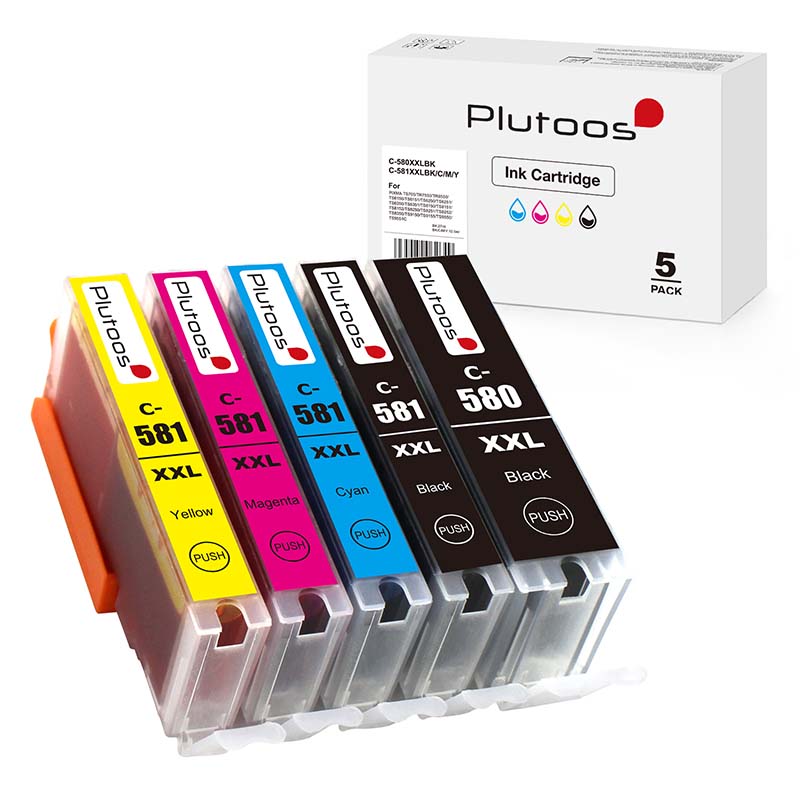
Plutoos PGI-580XXL Black Ink Cartridge – Compatible with Canon PGI-580 XXL 1970C001


CHF 10.10
Free shipping
Available, delivery time: Next-day delivery*


Shop with confidence at Plutoos
-
Free shippingIn Switzerland and Liechtenstein
-
Next day deliveryShipped from our Swiss warehouse
-
Money-back guaranteeTransparent and secure purchase
-
Easy returnsHassle-free process
-
Secure Swiss paymentsTWINT, PostFinance, invoice
Plutoos PGI-580XXL Black Ink Cartridge – Compatible with Canon PGI-580 XXL 1970C001
The Plutoos PGI-580XXL Black ink cartridge is a high-capacity compatible replacement for Canon PGI-580 XXL 1970C001 and is designed for sharp text documents, rich black output, and dependable everyday printing. It is suitable for a wide range of Canon PIXMA printers including PIXMA TS6150, TS6250, TS6350, TS705, TS8150, TS8250, TS8350, TS9150, TS9550, TR7550, TR7650 and TR8550 series models. The pigment black formula is ideal for clear office documents, home printing, schoolwork, invoices, and general text-heavy use.
Package Contents
- 1 x Black ink cartridge, compatible with Canon PGI-580 XXL 1970C001
- 1 x Pigment black ink cartridge, 25.7 ml
- Page yield: up to 600 pages
Key Features
- Compatible replacement for Canon PGI-580 XXL 1970C001
- Pigment black ink for crisp text and deep black documents
- High-capacity design for lower cost per page
- Suitable for home, school and office printing
- Easy installation in supported Canon PIXMA printers
Technical Data
- Product type: Compatible ink cartridge
- Colour: Black
- Ink type: Pigment black
- Compatibility code: Canon PGI-580 XXL
- Original reference: 1970C001
- Ink volume: 25.7 ml
- Page yield: up to 600 pages
Compatible Printer Models
- Canon PIXMA TR7550, TR7650, TR8550
- Canon PIXMA TS6150, TS6151
- Canon PIXMA TS6250, TS6251
- Canon PIXMA TS6350, TS6351, TS6350a, TS6351a
- Canon PIXMA TS705
- Canon PIXMA TS8150, TS8151, TS8152
- Canon PIXMA TS8250, TS8251, TS8252
- Canon PIXMA TS8350, TS8351, TS8352, TS8350a, TS8351a, TS8352a
- Canon PIXMA TS9150, TS9155
- Canon PIXMA TS9550, TS9550a, TS9551C, TS9551Ca
Possible Errors & Troubleshooting
- If the printer shows support code 1660 or a message such as “The ink tank cannot be recognized”, remove the cartridge and reinstall it carefully, making sure it is the correct PGI-580XXL type for the printer.
- If the printer shows support code 1750 or indicates that the ink tank is not compatible, verify the exact printer model and check that the cartridge is seated correctly.
- If a message appears that the cartridge is not installed properly, open the printer cover, remove the cartridge, and reinstall it until it clicks securely into position.
- Check that all protective tape and transport protection have been removed before installation.
- Clean the chip/contact area carefully with a dry lint-free cloth if recognition is inconsistent.
- If support code 1688 appears and the printer reports the cartridge as empty, the printer may allow printing to continue only after the remaining ink level detection is disabled on the printer. In that case, ink level monitoring may no longer display normally for that cartridge until it is replaced.
- Some Canon printers may continue printing after disabling ink level detection, but the customer should monitor print quality and ink condition manually because printing with an actually empty cartridge can damage the printer.
- If print quality is poor after recognition, run nozzle check, printhead cleaning, and printhead alignment from the printer maintenance menu.
- Contact Plutoos support if the issue persists.
Why You’ll Love It
- Cost-effective alternative to the original Canon cartridge
- Strong black text output for daily document printing
- High-capacity format for fewer cartridge changes
- Easy and practical solution for home and office users
- Reliable replacement for many popular Canon PIXMA models
Shipping & Returns
- Shipping from Swiss stock – next-day delivery*
- Free shipping for all orders
- 60-day return policy for unopened items
- 14-day return policy for opened items (fees apply)
- Secure payments via PostFinance Payment Gateway, TWINT, major credit cards (MasterCard, Visa), Google Pay and PostFinance Pay
- Swiss quality control and logistics
- Eco-friendly materials and packaging
- Responsible production
| Compatible Printer Brand: | Canon |
|---|---|
| Compatible Printer Series: | PIXMA TR, PIXMA TS |
| compatible printer models: | 700 Series, 705, 705a, 6100 Series, 6150, 6151, 6200 Series, 6250, 6251, 6300 Series, 6350, 6350a, 6351, 6351a, 7500, 7550, 7650, 8100 Series, 8150, 8151, 8152, 8200 Series, 8250, 8251, 8252, 8300 Series, 8350, 8350a, 8351, 8351a, 8352, 8352a, 8500, 8550, 9100 Series, 9150 Series, 9500 Series, 9550, 9550a, 9551C, 9551CA |
| manufacturer: | Plutoos |
| print color: | Schwarz |
Similar Items