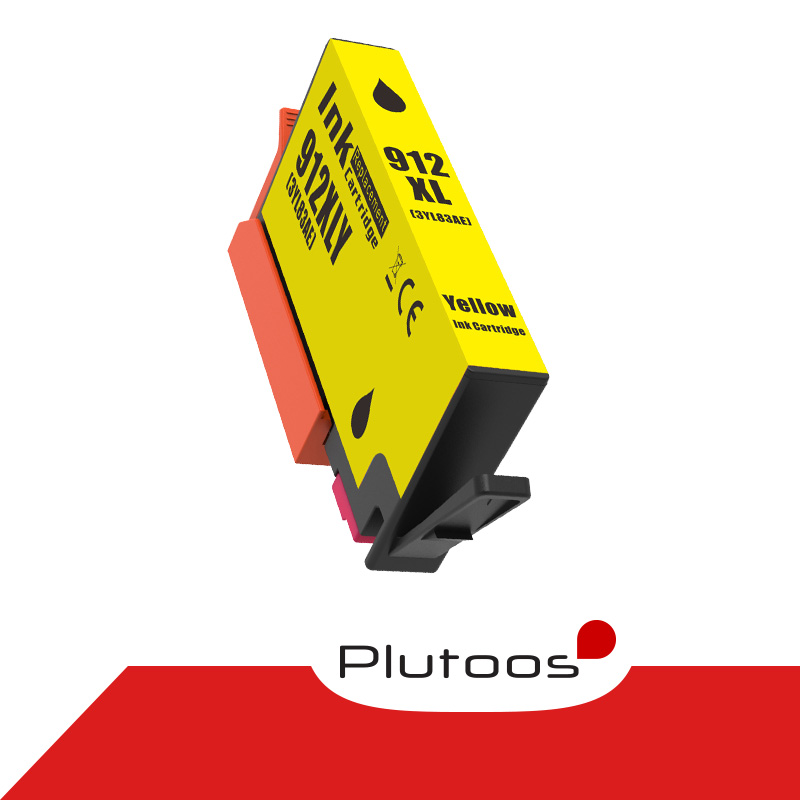
Plutoos 912XL Cyan Ink Cartridge with Chip Compatible with HP 912 13 ml for OfficeJet 8012 8015 & Pro 8022 8025


CHF 16.90
Free shipping
Available in 15 days


shipping
delivery*
guarantee
returns
payments
🖨️ 912XL Cyan: 13 ml — more ink than the original
With chip · replaces HP 912XL 3YL81AE · up to 825 pages · for OfficeJet 8010–8018 & Pro 8020–8035
✓ with chip 💧 13 ml 🖨️ ISO/IEC 24711 🇨🇭 Swiss warehouse
The Plutoos 912XL Cyan is a compatible replacement for the original HP 912XL (OEM reference 3YL81AE) — with 13 ml considerably more ink than the original and a yield of up to 825 pages per ISO/IEC 24711. The cartridge ships with chip: automatic recognition and ink-level display as usual.
Same-working-day dispatch from our Swiss warehouse, 60-day return on unopened items.
Compatible printer models
| ✓ HP OfficeJet 8010 | ✓ HP OfficeJet 8012 |
| ✓ HP OfficeJet 8013 | ✓ HP OfficeJet 8014 |
| ✓ HP OfficeJet 8015 | ✓ HP OfficeJet 8017 |
| ✓ HP OfficeJet 8018 | ✓ HP OfficeJet Pro 8020 |
| ✓ HP OfficeJet Pro 8022 | ✓ HP OfficeJet Pro 8023 |
| ✓ HP OfficeJet Pro 8024 | ✓ HP OfficeJet Pro 8025 |
| ✓ HP OfficeJet Pro 8026 | ✓ HP OfficeJet Pro 8028 |
| ✓ HP OfficeJet Pro 8035 |
including e-variants* (*only if HP+ / HP Instant Ink is NOT activated).
Cyan is at work in almost every chart and header — until the HP OfficeJet 8012 declares the colour exhausted and pauses the job. Then only this one cartridge gets replaced: 13 ml of cyan with chip, up to 825 pages. The cost: around 2 Rappen per page. If something ever catches, our Swiss support is reachable by email and answers quickly.
Note on firmware updates: HP lists these printer series as 'Dynamic Security' models — manufacturer updates can detect and restrict cartridges with non-original chips, typically showing messages such as 'Non-HP Chip Detected' or 'Cartridge Problem'. Many customers and user forums report that compatible cartridges work reliably when automatic firmware updates remain switched off in the printer settings, and that rolling back an already-installed update has helped (search: printer model + 'firmware downgrade'). The decision rests solely with the customer. Newer printer firmware can restrict the recognition of compatible (non-original) cartridges. If you intend to use compatible cartridges, we recommend disabling automatic firmware updates and installing updates manually only when needed. All information without guarantee; the decision rests with the customer.
Package contents
| Plutoos 912XL (replaces 3YL81AE) | Cyan | ✓ with chip | 13 ml | up to 825 pages |
Page yield per ISO/IEC 24711 (XL equivalence), 5% coverage.
Installation & first use
- Unpack only right before installing and pull the protective strip.
- Insert until it clicks — the chip is recognized automatically, no resetter needed.
- Confirm the “non-genuine cartridge” notice with OK — this is normal.
- Print a nozzle check after installation.
Care & storage
- Store sealed, upright, at 5–35 °C, away from direct sunlight — best used within 24 months.
- Print a few pages at least every 2–3 weeks so the nozzles do not dry out.
- Never leave the printer without a cartridge in the slot — the print head can dry out.
- Storing an opened cartridge: seal all open ports (nozzle outlet and air vent) with the original protective tape, a tank tape or ordinary scotch tape, cover the contacts, store upright at room temperature.
- (Our advice: once opened, use the cartridge up completely rather than storing it — opened cartridges are very likely to dry out or start leaking.)
Good to know
Troubleshooting
| Cartridge not recognized | Remove, wipe the contacts with a dry cloth, reinsert until it clicks, restart the printer. On e-models: check whether HP+ / Instant Ink is active. |
| Streaks / faint print | Run 1–2 nozzle cleanings from the printer menu, then a nozzle check. |
| Wrong colors | Run print head alignment from the printer menu. |
| Message “Cartridge not compatible” / “Ink level low” after a firmware update | Restart the printer, remove the cartridge and reinsert it until it clicks, confirm the message with OK. If the message appears immediately after a firmware update, other customers report that rolling the firmware back to the previous version has helped (Google/YouTube search: printer model + “firmware downgrade”) — the decision and its execution rest solely with the customer. |
FAQ
❓ Does a compatible cartridge void my printer warranty?
❓ Does the ink level display work?
❓ Do the cartridges work on HP “e” models (e.g. 8022e)?
❓ My printer suddenly reports an error after an update — is the cartridge defective?
No, as a rule it is not. Printer manufacturers occasionally release firmware updates that identify and restrict compatible cartridges — the cartridge itself remains fully functional. Many customers report that rolling the firmware back to the previous version helps (Google/YouTube search: printer model + “firmware downgrade”) and that compatible cartridges work most reliably when automatic updates remain switched off in the printer settings. Whether and how you apply this is solely your decision and responsibility.
❓ How fast is delivery?
| Cartridge Type: | Tinte |
|---|---|
| Compatible Printer Brand: | HP |
| Compatible Printer Series: | OfficeJet, OfficeJet Pro |
| compatible printer models: | 8010, 8012, 8012e, 8014, 8014e, 8015, 8015e, 8017, 8020, 8020e, 8022, 8022e, 8023, 8023e, 8024, 8024e, 8025, 8025e, 8026, 8026e, 8028, 8028e |
| manufacturer: | Plutoos |
| print color: | Cyan |
| ❌ Not compatible with: | ❌ Nicht kompatibel mit HP E-Series Druckern (z. B. OfficeJet E, Envy E, DeskJet E), wenn diese im HP+ / Smarter Printing System aktiviert wurden. In diesem Fall funktionieren ausschliesslich originale HP-Patronen. |
Similar Items